

Using QR Codes for Vending Machines and Smart Kiosks
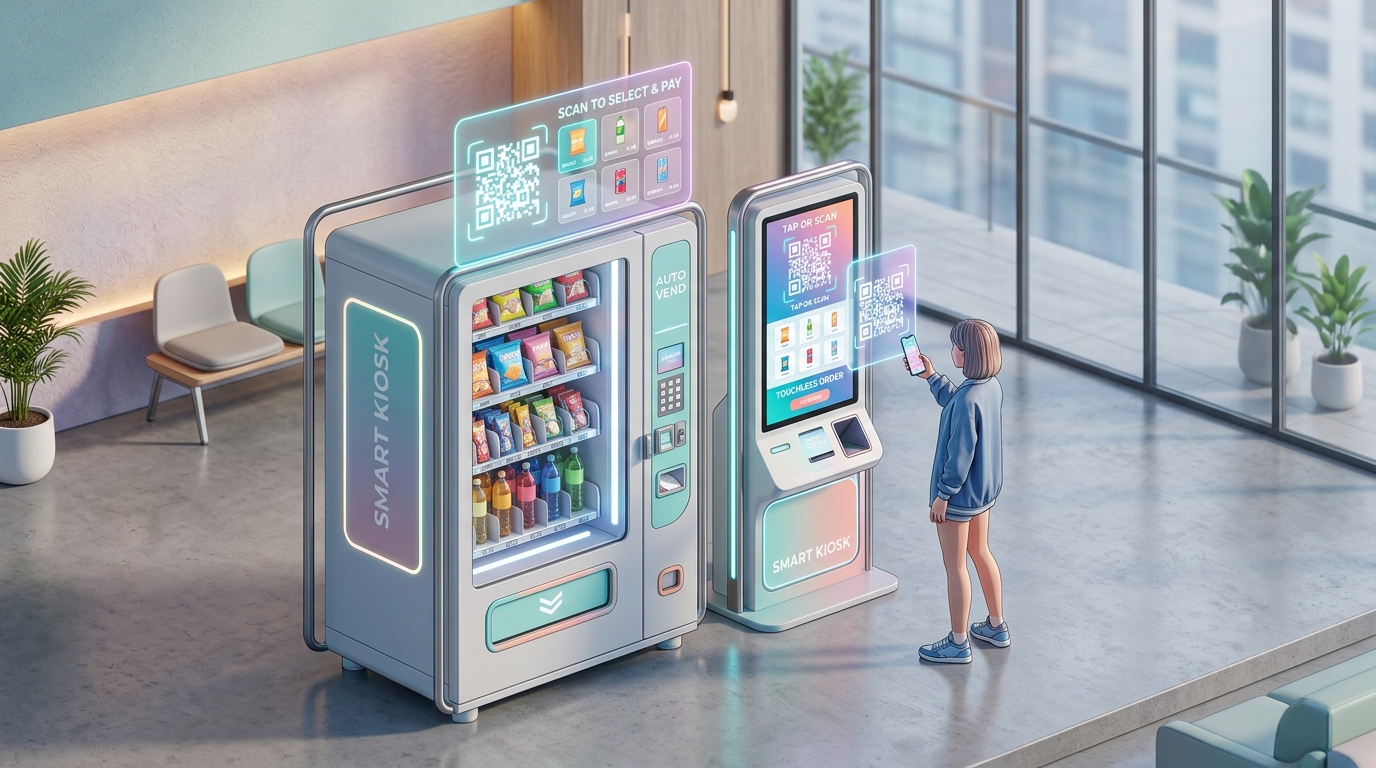
The global unattended retail economy is undergoing a massive transformation. From automated micro-markets in corporate headquarters to smart beverage kiosks in transit stations, consumers expect fast, frictionless, and completely contactless transactions.
However, traditional vending machine operators face steep operational hurdles: mechanical coin and bill acceptor jams, expensive payment terminal hardware lease fees, frustrated customers when items get stuck, and an utter lack of customer relationship management (CRM) data.
Dynamic QR codes provide vending and self-service kiosk operators with an elegant, hardware-light solution. By combining mobile-first checkout, automated refund workflows, nutritional disclosures, and real-time inventory telemetry into a single scannable interface, QR codes turn unattended machines into connected, high-margin retail hubs.
Key Benefits of QR Codes for Vending Operators
1. Frictionless Mobile Payments Without Costly Card Readers
Traditional credit card readers cost operators hundreds of dollars per machine in upfront hardware, cellular modem fees, and recurring PCI compliance maintenance.
Displaying a dynamic QR code allows consumers to scan and purchase directly via Apple Pay, Google Pay, digital wallets, or direct bank transfer through a secure mobile browser web app. This eliminates card skimming risks, mechanical card reader wear-and-tear, and hardware maintenance visits.
2. Instant Refund & Customer Support Automation
The number one driver of customer churn and brand frustration in vending is the dreaded "stuck item" or failed dispense. Traditionally, the consumer loses their money, kicks the machine, and leaves an angry online review.
By printing a dynamic QR code with a dedicated machine ID on the front bezel (e.g., qr.brand.com/kiosk?unit=VEND-842), an aggrieved customer can scan, select the stuck spiral or slot, and receive an instant digital refund or voucher directly to their mobile wallet. This resolves disputes in seconds without requiring call center intervention.
3. Real-Time Nutritional and Allergen Transparency
Modern consumers demand instant access to ingredient lists, calorie counts, and allergen warnings before purchasing food and beverage items. Squeezing comprehensive nutritional data onto tiny spiral labels is physically impossible.
A scannable QR code opens an interactive digital menu with searchable filters for gluten-free, vegan, kosher, or nut-free products, increasing consumer confidence and driving higher basket sizes.
4. Automated Loyalty Programs & Subscription Punch Cards
Unattended vending machines historically treat every transaction as an anonymous, one-off purchase. QR codes change this by integrating digital punch cards and loyalty rewards:
- Scan-to-Earn: Customers scan the machine code before paying to earn points toward free beverages.
- Corporate Subsidies: Companies can issue prepaid employee QR allowances that can be redeemed at on-campus kiosks.
- Repeat Purchase Drivers: Push notifications and personalized discounts encourage daily office workers to return to the machine.
5. Fleet Telemetry and Driver Restock Routing
Vending route drivers often waste hours traveling to machines that are still half-full. By placing an administrative QR code inside the maintenance door, field technicians can scan to instantly log restock events, register mechanical diagnostics, or report temperature fluctuations directly into the central ERP.
Operational Comparison: Traditional Vending vs. QR Zam Smart Kiosks
| Operational Dimension | Legacy Coin & Card Vending | QR Zam-Powered Smart Kiosks |
|---|---|---|
| Payment Hardware Setup Cost | $400 – $900 per machine for bill/coin units & POS terminals | Under $5 for high-durability, weatherproof dynamic QR decals |
| Mechanical Breakdown Frequency | High (coin jams, bill validator dirt, card reader terminal errors) | Near Zero (contactless payment executes entirely on user's phone) |
| Refund Resolution Time | 3 to 14 days (phone calls, paper checks, manual processing) | Under 60 seconds (automated mobile credit or voucher issuance) |
| Loyalty & Customer Retention | Non-existent; 100% anonymous cash/card swipes | Direct digital engagement, digital punch cards, and opt-in CRM capture |
| Remote Menu & Price Updates | Requires physical travel to re-label price tags on coils | Instant cloud updates via dynamic QR codes and dashboard |
| Fleet Scale & Deployment Speed | Weeks per location due to hardware installation and cabling | Minutes (upload CSV to Bulk QR Generator and apply vinyl decals) |
Steps to Deploy Smart QR Codes on Your Vending Fleet with QR Zam
Step 1: Define Machine Schema and Machine IDs
Map out your vending and kiosk fleet in your inventory system. Assign each physical machine a unique identifier (e.g., NYC-HUB-01, SFO-CAMPUS-04).
Step 2: Generate Codes via QR Zam Bulk QR Code Generator
For fleets of 50 to 5,000+ units, upload a structured CSV spreadsheet to QR Zam's Bulk QR Code Generator to generate unique dynamic QR codes at scale and export them as a batch ZIP archive of SVG or PNG files:
name,destination_url,custom_domain
Kiosk-NYC-Terminal-01,https://pay.smartvending.com/checkout?kiosk_id=NYC-01&utm_source=qr&utm_medium=vending,qr.smartvending.com
Kiosk-SFO-Campus-04,https://pay.smartvending.com/checkout?kiosk_id=SFO-04&utm_source=qr&utm_medium=vending,qr.smartvending.com
Step 3: Design High-Durability, High-Contrast Decals
Use clean branding templates with strong visual affordances:
- Position the QR code prominently next to the item selection keypad or product pickup chute.
- Add an explicit Call-to-Action frame such as "Scan to Pay or Report an Issue".
- Print on durable, UV-resistant, scratch-proof industrial vinyl to withstand commercial cleaning products and public foot traffic.
Step 4: Configure Machine Query Parameters & UTM Tracking
Include the machine ID (?kiosk_id=NYC-01) and standardized UTM parameters directly in each dynamic QR code's destination URL. Whenever a customer scans to complete a mobile checkout or submit a stuck-item refund form, your web portal automatically identifies the exact machine unit while Google Analytics attributes the transaction:
https://pay.smartvending.com/support?kiosk_id=NYC-01&utm_source=vending_decal&utm_medium=qr&utm_campaign=nyc_fleet
Step 5: Monitor Scan Velocity and Product Performance
Track scan metrics inside your QR Zam analytics dashboard. Identify top-performing vending locations, peak purchasing hours, and regional customer preferences to optimize route driver schedules and product stocking.
Practical Applications Across Unattended Retail Verticals
1. Corporate Micro-Markets & Smart Pantries
Modern office spaces replace traditional snack machines with open-shelf micro-markets. Employees scan a master QR code on the kiosk counter to open their digital pantry tab, scan product barcodes with their phone cameras, and check out instantly via company stipend or personal card.
2. Airport & Train Station Grab-and-Go Stations
International travelers often lack local currency or encounter credit card rejection at foreign unattended terminals. QR codes with Smart Routing automatically adapt the checkout page language and display international mobile payment options like WeChat Pay, Alipay, Apple Pay, and local digital wallets.
3. University Campus Laundromats & Vending Banks
Students scan QR codes mounted on laundry machines and snack dispensers to pay using student ID cards, Apple Pay, or campus meal plan credits, eliminating the need for quarters or physical laundry tokens.
4. Fitness Centers & Gym Supplement Dispensers
Gyms place smart kiosks offering protein bars, energy drinks, and resistance bands. Scanning the QR code logs the transaction directly into the member's gym account for frictionless monthly billing.
5. Automated Smart Lockers & Package Dropboxes
Delivery couriers and customers scan dynamic QR codes on locker touchscreens to verify identity, pop open assigned parcel doors, and sign for deliveries digitally without touching shared physical keypads.
Frequently Asked Questions (FAQs)
1. Do customers need to download a mobile app to make a purchase?
No. QR Zam dynamic QR codes link directly to responsive mobile web applications. Customers simply point their native smartphone camera at the code to open the checkout or support portal in their default browser, ensuring zero friction and maximum conversion.
2. How does the operator update product pricing without reprinting QR decals?
Because you are using dynamic QR codes, the printed decal on the machine never needs to be replaced. You can update product prices, promotional discounts, or payment gateway links instantly in your QR Zam dashboard.
3. What happens if cellular reception at the vending location is weak?
Dynamic QR codes can be combined with local Wi-Fi onboarding. Operators can configure dual-purpose landing pages or a secondary Wi-Fi QR code on the machine, allowing customers to connect to free guest Wi-Fi instantly to complete their transaction.
4. Can QR Zam handle bulk generation for thousands of machines?
Yes. QR Zam's Bulk QR Code Generator and ZIP batch export allow enterprise vending networks to provision thousands of customized, dynamic QR codes in minutes via CSV upload, complete with custom domains and real-time scan analytics.
Modernize Your Unattended Retail Fleet with QR Zam
Ditch high-maintenance payment hardware, eliminate customer support bottlenecks, and turn every machine in your network into a high-converting digital storefront.
Ready to elevate your vending and kiosk operations? Get started with QR Zam today and discover how dynamic QR codes can transform your unattended retail profitability.