

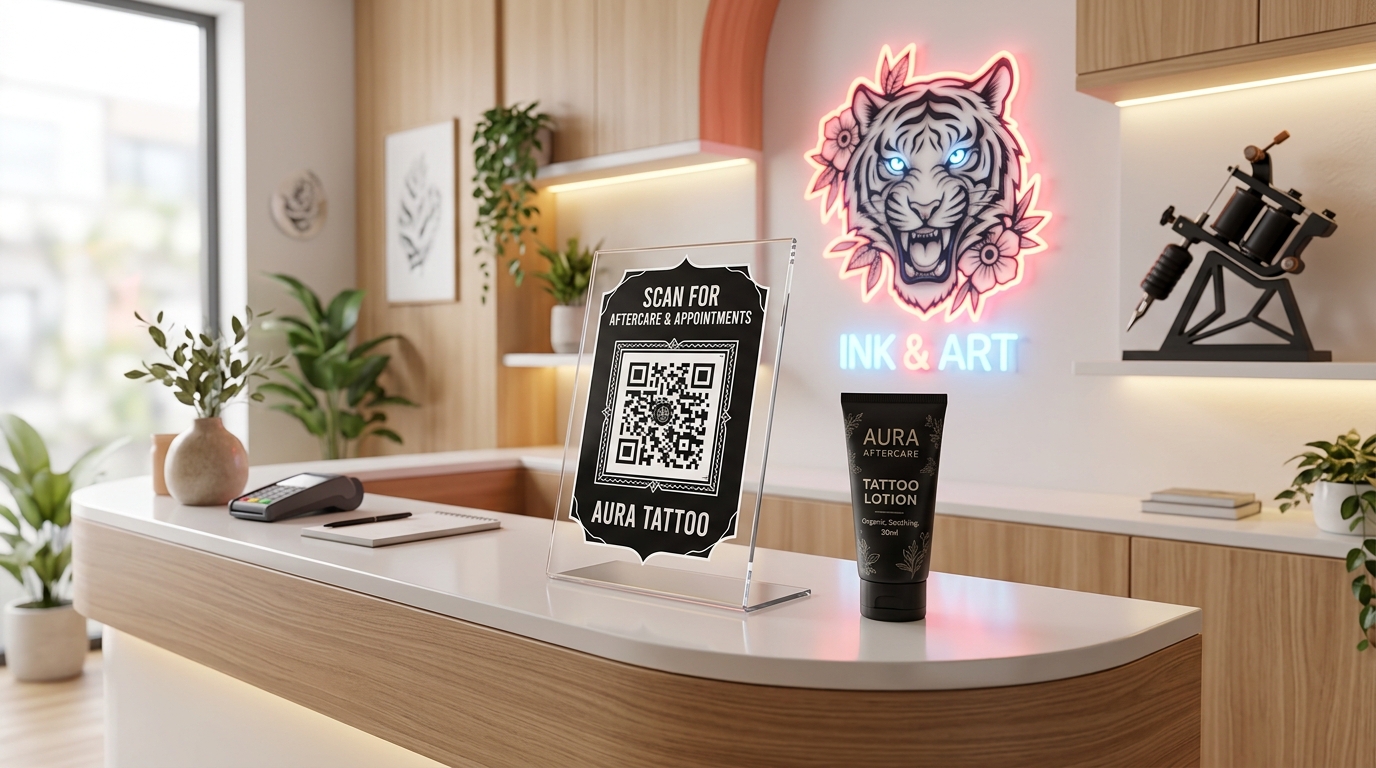
In the highly creative and visual world of tattoo and piercing studios, customer experience, trust, and hygiene are paramount. Artists need to showcase their portfolios, shops need to collect client consent forms, and clients require precise aftercare instructions to ensure their new ink or piercings heal perfectly.
Traditional paper-based methods are not only environmentally unfriendly and costly, but they are also easily lost by clients and represent physical contact points that need cleaning.
Tattoo and piercing studio QR codes offer a modern, hygienic, and highly efficient solution. By incorporating dynamic QR codes throughout your shop, you can streamline booking operations, automate client education, and grow your digital footprint.
Here is how modern tattoo shops and piercing studios are using QR codes to elevate their client experience.
Key Benefits of QR Codes for Tattoo and Piercing Studios
1. Paperless Aftercare Guides
Tattoo and piercing aftercare is critical. Instead of printing and handing out thousands of paper instruction sheets that clients immediately lose, print a dynamic QR code on the back of your business cards or on a counter sign. Scanners are instantly directed to a clean, easy-to-read PDF or website aftercare page. Because it is dynamic, you can update the healing instructions anytime without reprinting.
2. Instant Portfolio and Social Media Sharing
Tattoo art is inherently visual. Place customized QR codes at artist stations or on studio mirrors. Clients can scan them to view the artist's Instagram portfolio, TikTok channel, or website gallery. This helps walk-in clients select their preferred artist and style instantly.
3. Digital Consent Forms and Liability Waivers
Tattoos and piercings require clients to sign legal waivers and health questionnaires. Instead of having clients fill out paper forms on clipboards at reception, display a QR code at the front desk or email/text it to them prior to the session. Clients scan it to fill out and submit the forms securely on their own smartphones, saving time and keeping reception uncluttered.
4. Frictionless Booking and Deposit Payments
Make it simple for clients to book their next session. Generate a QR code that links directly to your scheduling software (such as Squire, Appointy, or Calendly). You can also link the code to secure payment gateways to collect booking deposits or tips after a successful session.
5. Drive High-Quality Google and Yelp Reviews
Word-of-mouth and positive online reviews drive studio traffic. Place a Google Review QR code on a small stand at the front counter or on station mirrors where clients sit for hours. When their new tattoo or piercing is finished and they are feeling excited, encourage them to scan and leave a five-star review on the spot.
Practical Applications Around Your Studio
Reception Counter Welcome Sign
Place a small framed sign at the reception desk with a multi-link or Smart Link QR code. Label it clearly: "Welcome to the Studio! Scan to check in, sign your waiver, or book your next session."
Artist Stations and Mirrors
Each artist has a unique style. Place a stylized QR code at each artist's station pointing directly to their individual portfolio page, booking calendar, and Instagram profile. This gives clients who are sitting in the chair a convenient way to connect with their artist online.
Aftercare Product Tags
If your studio sells specialty tattoo ointments, piercing sprays, or jewelry, attach small QR code tags. When scanned, the code can lead to instructions on how to use the product or a video detailing how to change body jewelry safely.
How to Set Up Your Studio QR Codes with QR Zam
Creating custom QR codes for your tattoo or piercing studio is simple and highly customizable:
- Host Your Content: Save your aftercare guides as PDFs, compile artist portfolios on a website, or set up booking calendars on your scheduler.
- Generate Your QR Code: Go to qrzam.com. Select PDF for aftercare sheets, URL for booking pages, or Social Media to link all artist channels in one page.
- Use Dynamic Settings: Always use dynamic QR codes for aftercare and booking links. If you switch booking platforms, update aftercare tips, or change website links, you can update the destination URL instantly from your QR Zam dashboard without having to change any printed material.
- Design for Brand Alignment: Customize the pattern using dark, sleek colors (like matte black) that fit the classic tattoo parlor aesthetic. Add a custom frame with a clear call-to-action like "Scan for Aftercare" or "View Portfolio."
- Display Professionally: Print in high resolution and place them inside acrylic tabletop displays or frame them to complement your studio's decor.