

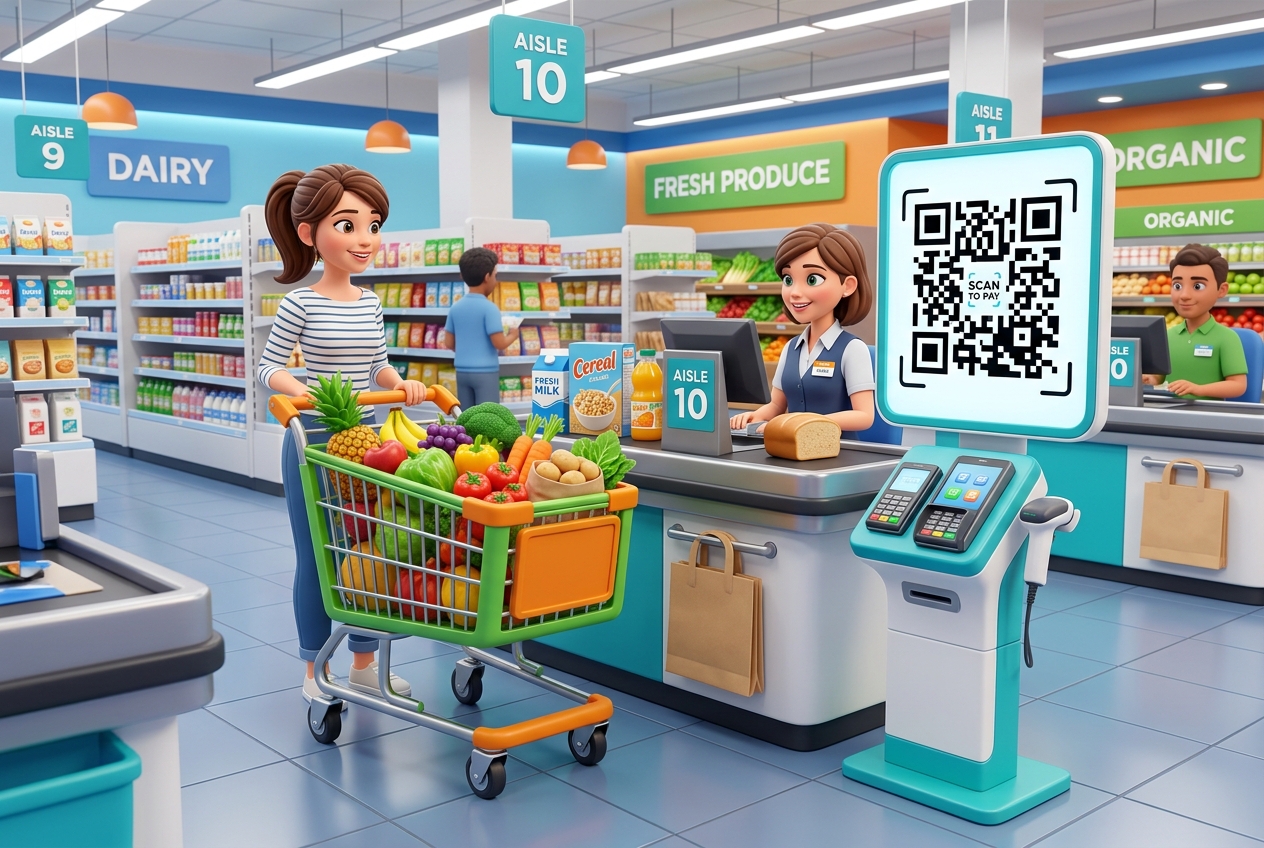
In the fast-paced retail landscape, supermarkets, hypermarkets, and local grocery stores are looking for innovative ways to enhance the shopping experience, cut printing costs, and build customer loyalty.
Modern shoppers expect convenience, speed, and detailed information at their fingertips.
QR codes have emerged as a highly versatile and cost-effective tool to bridge physical grocery aisles with digital convenience. By scanning custom QR codes placed throughout the store, shoppers can instantly access product details, download discount coupons, browse weekly deals, and speed through checkouts.
Key Benefits of QR Codes for Supermarkets
Integrating QR codes into grocery store operations brings measurable growth and marketing benefits.
1. Massive Savings on Printing Costs
Printing thousands of multi-page weekly circulars, coupon booklets, and recipe flyers is a recurring expense. By replacing or complementing paper prints with dynamic QR codes, supermarkets can share digital catalogs and flyers that customers can scan right at the entrance.
2. Drive Loyalty App Downloads
Loyalty apps are goldmines for customer retention and data. Placing App Store QR codes on banners, shopping carts, and receipts makes it incredibly simple for shoppers to download the supermarket app and access personalized discounts.
3. Immediate Product Transparency
Modern consumers are highly conscious of what they eat. QR codes on product shelves or packaging let customers quickly scan to view nutritional values, allergen warnings, sourcing details, or organic certifications.
4. Direct Feedback Channels
Understanding shopper satisfaction is crucial. Checkout counters can feature feedback QR codes, prompting customers to share their shopping experience in real-time, helping store managers resolve service issues immediately.
How Supermarkets Use QR Codes in Practice
Here are the most common and effective ways grocery retailers implement QR codes to drive sales and customer engagement:
1. Digital Weekly Circulars
Instead of stackable paper booklets at the entrance, place a large standee with a QR code that says: "Scan to View This Week's Deals." The code routes shoppers to a mobile-friendly page featuring current discounts and promotions, making it easy to browse while pushing a cart.
2. Scan-and-Go and Contactless Payments
Reduce checkout times and long lines. By placing QR codes at self-service kiosks or checkout lanes, customers can scan to pay securely using mobile wallets or the store's integrated payment system.
3. Aisle-by-Aisle Recipes & Meal Ideas
Inspiration sells groceries. Place QR codes near raw ingredients (like fresh salmon or organic vegetables) linking to quick cooking videos or recipe guides. Shoppers scan the code, get excited about a meal, and purchase the remaining ingredients on the spot.
4. Digital Shelving and Extended Inventory
For smaller boutique grocers or high-density urban supermarkets, shelf space is limited. Grocers can place QR codes next to display items, allowing customers to scan and order bulk packages, specialty goods, or home delivery options not physically present on the shelves.
5. Smart Shopping Cart Integrations
Attach QR codes to the handles of shopping carts. As shoppers walk through the aisles, they can scan the cart QR code to unlock digital coupons, map out the store layout, or check their running total as they shop.
How to Create a QR Code for Your Grocery Store with QR Zam
Setting up custom QR codes for your supermarket is simple with QR Zam:
- Step 1: Go to QR Zam and choose your campaign type (URL for circulars, App Store for loyalty apps, or Feedback for customer surveys).
- Step 2: Enter the destination URL or landing page link.
- Step 3: Design the QR code to align with your brand. Choose your supermarket's colors (e.g., fresh green for organic stores) and insert your logo in the center.
- Step 4: Apply a clear, action-oriented frame, such as "Scan for Weekly Deals" or "Scan to Pay".
- Step 5: Test the scan reliability on multiple smartphone screens.
- Step 6: Download in high-resolution PNG for small shelf tags or SVG vector format for large entrance banners and signage.
FAQs
1. Can we update the weekly deals link without printing new QR codes every week?
Absolutely! By using Dynamic QR Codes from QR Zam, you can change the target URL in your dashboard at any time. The printed QR codes on your storefront banners and signs remain identical, saving you printing fees every single week.
2. How do QR codes help us collect customer reviews?
You can generate a feedback QR code and print it at the bottom of every customer receipt or on small stands at the checkout lanes. When scanned, it opens an email draft or an interactive survey form where customers can rate their visit.
3. Do customers need to download a QR reader?
No. Modern iOS and Android devices have native QR scanners built directly into their camera apps. Customers only need to open their camera and aim it at the code.
4. Can we customize the design of our QR codes to look professional?
Yes. QR Zam offers extensive customization options. You can change colors, adjust pixel patterns, add custom frames, and embed your supermarket's logo in the middle, ensuring the codes look secure and professional.