

Using QR Codes for Self-Storage Facilities and Mini Warehouses: Streamlining Contactless Operations
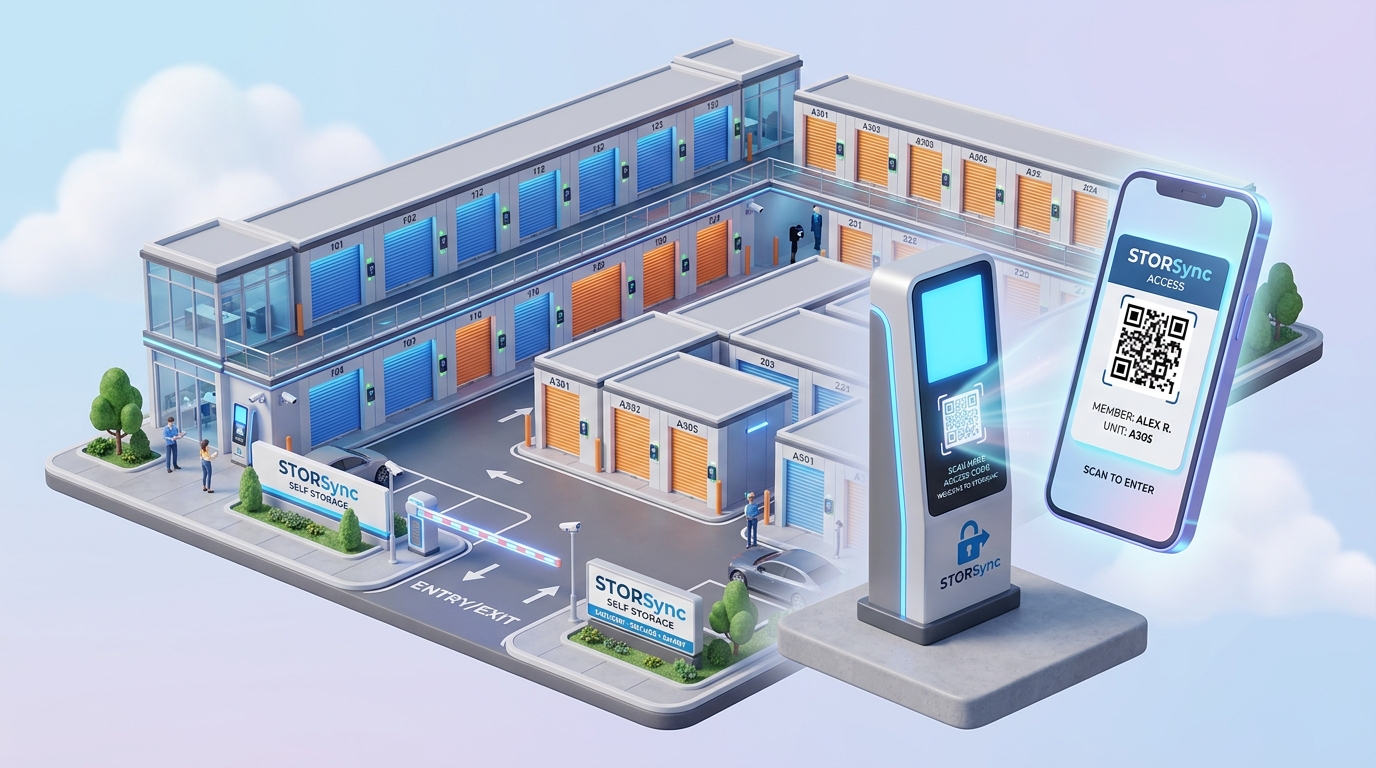
The self-storage and mini-warehouse industry is experiencing a rapid technological evolution. Modern renters demand 24/7 convenience, instant mobile bookings, and frictionless access without having to wait in line at a physical rental office. At the same time, facility operators are seeking scalable solutions to reduce overhead, eliminate paper contracts, and streamline tenant management.
Dynamic QR codes have emerged as the backbone of modern contactless storage operations. From unassisted gate entry and instant digital lease signing to unit wayfinding and automated billing, QR codes transform physical storage facilities into efficient, self-operating smart spaces.
In this guide, we explore how self-storage companies and mini-warehouses leverage QR Zam to automate customer journeys, improve operational security, and maximize occupancy rates.
Key Benefits of QR Codes for Self-Storage Operators
Implementing dynamic QR codes throughout your storage facility delivers immediate operational efficiencies:
1. 24/7 Contactless Move-Ins & Instant Leasing
Prospective tenants who arrive outside of staffed office hours can simply scan a large QR code at the facility entrance. The code immediately directs them to a mobile-responsive rental portal where they can browse available unit sizes, complete identity verification, sign digital lease agreements, and pay their deposit in minutes.
2. Smart Gate Access & Digital Passports
Eliminate the hassle of lost physical key fobs or forgotten 6-digit gate keypad codes. When a tenant reserves or pays for a unit, they receive a dynamic QR code access pass on their smartphone (or in Apple/Google Wallet). Scanning the code at the entrance barrier or elevator pedestal instantly grants access to authorized floors and hallways.
3. Interactive Facility Maps and Unit Wayfinding
Large multi-story storage facilities with hundreds of identical corridors can be disorienting for new tenants. Placing QR codes at elevator lobbies and major corridor intersections opens a real-time digital 3D map highlighting the customer’s unit location and the most efficient walking path.
4. Frictionless Scan-to-Pay and Auto-Pay Setup
Reduce late payments and manual collection calls. QR codes placed on monthly billing reminders, email notices, or physical unit doors allow overdue tenants to instantly settle their balance via Apple Pay, Google Pay, or credit card, automatically releasing electronic overlocks within seconds.
5. Instant Maintenance and Support Ticketing
If a tenant encounters a jammed roll-up door, a burnt-out hallway light, or water intrusion, they can scan a QR code located on their unit door placard. This pre-fills their unit number in an automated support ticket, allowing facility managers to resolve maintenance issues rapidly.
High-Impact Practical Applications Across Storage Facilities
Here is how progressive self-storage and mini-warehouse businesses deploy QR codes across key operational touchpoints:
| Touchpoint | QR Code Type | Action & Value |
|---|---|---|
| Entrance Gate & Pedestal | Dynamic URL QR Code | 24/7 Contactless check-in, lease signing, and automated gate opening. |
| Individual Storage Unit Placards | Dynamic QR / Smart Routing | Directs tenant to their unit dashboard: manage billing, report issues, or view lease details. |
| Elevator Lobbies & Hallway Junctions | Interactive PDF / Web Map | Instant mobile wayfinding and floor plan navigation to locate units quickly. |
| Loading Docks & Staging Areas | Form / App Download | Access flatbed cart rentals, equipment checklists, and packing supply orders. |
| Overlocked / Delinquent Units | Secure Payment QR | Scan-to-pay balance resolution that automatically unlocks the digital latch upon payment. |
| Move-Out Notices & Surveys | Feedback QR Code | One-tap move-out notification submission and Google review collection. |
How to Create QR Codes for Your Self-Storage Facility with QR Zam
Setting up branded, trackable QR codes for your storage property is simple with QR Zam:
Step 1: Define Your Operational Use Case
Decide whether you are setting up a facility-wide check-in portal, individual unit QR codes, or digital wayfinding maps. For facilities with hundreds of individual units, leverage QR Zam's Bulk QR Code Generator via CSV upload to create custom codes in a single batch.
Step 2: Input Your Target Destination
Enter your facility's cloud management portal URL (such as SiteLink, storEDGE, or self-hosted portal), payment gateway link, or upload an interactive PDF floor plan.
Step 3: Customize with Professional Branding
Ensure your QR codes build trust and visibility:
- Incorporate your facility logo in the center.
- Use high-contrast brand colors for effortless scanning in all lighting conditions.
- Add clear Call to Action (CTA) frames such as "Scan to Move In", "Scan to Pay Bill", or "Scan for Facility Map".
- Set up a custom domain (e.g.,
access.yourstoragebrand.com) to reassure tenants they are on the official property network.
Step 4: Test in Real-World Garage & Gate Conditions
Test the printed QR codes across iOS and Android devices under diverse lighting conditions, including bright outdoor sunlight at entry gates and dim indoor corridor lighting.
Step 5: Print on Durable, Weather-Resistant Signage
Download vector files (SVG) for durable aluminum gate signs, vinyl door stickers, and reflective lobby banners that resist wear and tear.
Best Practices for Self-Storage QR Implementations
To ensure frictionless customer adoption and maximum security, follow these industry guidelines:
1. Maintain High Visual Contrast
Underground storage units and dimly lit hallways require high contrast (e.g., dark QR codes on reflective white or bright yellow backgrounds). Ensure a generous quiet zone (margin) around the QR code pattern.
2. Use Dynamic QR Codes for Instant Link Updates
If your facility upgrades its property management software (PMS) or changes payment providers, dynamic QR codes let you change the backend destination URL instantly without replacing hundreds of metal unit plaques.
3. Integrate with Password Protection for Sensitive Portals
For internal staff maintenance portals or vendor access doors, utilize QR Zam’s password-protected QR codes to ensure that only authorized contractors can unlock maintenance checklists.
4. Leverage Scan Analytics for Operational Insights
Track peak move-in hours, popular scan locations, and device types with QR code analytics. If gate check-in scans surge on weekends, adjust automated staffing and customer support availability accordingly.
Frequently Asked Questions (FAQs)
1. Can tenants scan the gate QR code directly from inside their vehicle?
Yes. When placing QR codes at drive-up entry gates, ensure the sign is sized at least 12x12 inches (30x30 cm) and positioned at vehicle driver-window height. This enables drivers to scan the code effortlessly without unbuckling or leaving their car.
2. How can we generate unique QR codes for 500+ storage units at once?
QR Zam provides a robust Bulk QR Code Generator with batch ZIP export. You can upload a CSV spreadsheet containing unit numbers and unique URLs to generate hundreds of customized, branded vector QR codes in seconds.
3. What happens if our facility internet goes down?
Dynamic QR codes route through cloud servers, so as long as the tenant’s mobile phone has standard cellular data (4G/5G), they can load the payment or lease signing portal without depending on the facility's local Wi-Fi.
4. Can we use QR codes for after-hours emergency contact?
Yes. You can configure a dynamic QR code that changes destination based on time of day (Smart Routing). During business hours, it connects to the office desk; after hours, it routes calls directly to the on-duty emergency security hotline.
5. How do QR codes help reduce delinquent accounts?
Placing a "Scan to Pay Overdue Balance" sticker directly on delinquent unit doors or overlocks allows tenants who arrive in person to immediately pay off their balance using mobile wallets and receive their unlock code without office staff intervention.
Upgrade Your Self-Storage Facility with QR Zam
Transform your mini-warehouse or self-storage property into an automated, modern, and highly profitable facility.
Start using QR Zam today to generate high-performance dynamic QR codes, automate contactless move-ins, and elevate your tenant experience.