

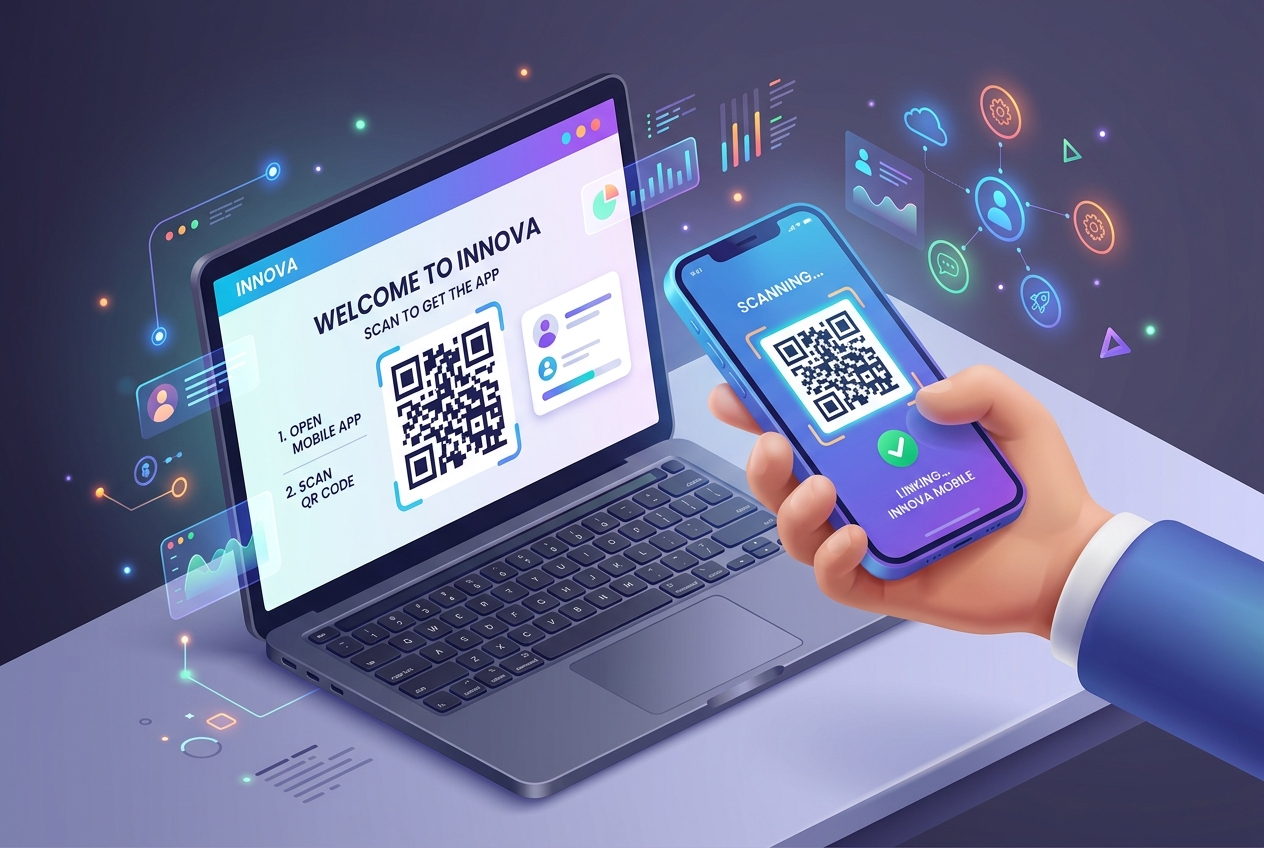
In the competitive world of Software-as-a-Service (SaaS), user activation is the ultimate battleground. The faster a new user experiences the core value of your product (known as the "Aha! moment"), the more likely they are to convert into a paying customer and remain loyal over time.
However, many SaaS platforms face a major hurdle in their onboarding flows: the desktop-to-mobile handoff.
If a user signs up on their desktop browser but needs to download your mobile app or verify their account via a mobile device, any friction in that transition will lead to dropped signups. QR codes have become the gold standard tool for SaaS platforms to seamlessly bridge this gap, ensuring a smooth, instant onboarding experience.
Key Benefits of QR Codes for SaaS and Software Companies
1. Frictionless Desktop-to-Mobile App Downloads
When a user signs up on a desktop, asking them to manually search for your app on the App Store or Google Play Store is risky. They might get distracted, download a competitor's app, or give up. A single QR code displayed on the desktop onboarding screen eliminates this friction, allowing users to scan and download the app instantly.
2. Passwordless Mobile Authentication
Typing complex passwords on a mobile screen is a hassle. SaaS platforms can use secure, dynamic QR codes to log users into their mobile app automatically. When a user scans the QR code shown on their authenticated desktop dashboard, the mobile app authenticates them instantly without requiring credentials.
3. Dynamic App Store Routing (Single QR Code)
Instead of showing separate QR codes for iOS and Android, SaaS companies can use QR Zam’s Smart Routing features. By creating a single dynamic QR code, the platform automatically detects the scanner’s device operating system and redirects iOS users to the Apple App Store and Android users to the Google Play Store.
4. Direct Feature Linking (Deep Linking)
With dynamic QR codes, you don't just send users to the app store; you can route them to specific in-app setup steps. For example, a project management SaaS can display a QR code that takes the user directly to a mobile setup wizard or a specific collaborative workspace, accelerating time-to-value.
Steps to Create an Onboarding QR Code with QR Zam
Setting up an onboarding flow using QR codes is straightforward:
- Step 1: Go to your QR Zam dashboard and create a Dynamic URL QR Code or a Smart Link QR Code.
- Step 2: Enter your app store download links. Set up routing rules to automatically direct users based on their device OS.
- Step 3: Customize the design. Apply your SaaS brand colors, add your product logo to the center of the code, and choose a clean frame like "Scan to Get the App."
- Step 4: Export your QR code as a crisp SVG or PNG asset to embed directly into your web app's onboarding screen or user dashboard, or use our Bulk QR Code Generator for multi-campaign rollouts.
- Step 5: Track scans, device distributions, and geographic locations in real-time to optimize your user activation funnel.
Real-World SaaS Use Cases for QR Codes
Desktop Web App Dashboard
Modern SaaS platforms display a persistent QR code on the desktop dashboard labeled "Get the Mobile App." This allows users to quickly scan and sync their active accounts to their phones so they can work on the go.
Physical Product Packaging & Inserts
For SaaS companies that sell physical hardware or hybrid products (like smart home systems or POS terminals), placing a QR code on the physical box or quick-start guide is crucial. It directs the customer to the digital setup guide and the companion mobile app immediately upon unboxing.
Interactive Onboarding Tours
During the initial product tour on desktop, software platforms can display a modal with a QR code prompting the user to: "Scan to enable mobile push notifications" or "Scan to verify your phone number."
Feature Promotion and Feature Adoption
When launching a new mobile-only feature, a SaaS platform can promote it on the web app using a popup featuring a QR code, guiding users directly to try the feature on their phones.
FAQs
1. How do Smart Routing QR codes know which App Store to open?
When a user scans a Smart Routing QR code generated by QR Zam, our servers analyze the user-agent string of the scanning device. It instantly detects whether the device is running iOS, Android, or another OS, and redirects the browser to the correct URL in milliseconds.
2. Can we batch-generate unique QR codes for different onboarding cohorts or enterprise clients?
Yes! QR Zam offers a Bulk QR Code Generator that lets you upload a CSV of campaign or cohort links with UTM parameters and export a ZIP archive of customized SVG/PNG QR codes in seconds.
3. Are QR codes secure enough for passwordless login?
Absolutely, provided you use dynamic, single-use, or short-lived tokens in the destination URL. When the user scans the code, your server validates the session token and securely authenticates the mobile device.
4. What metrics should we track to measure onboarding success?
You should track the scan-to-install rate, the time elapsed between desktop registration and mobile app download, and subsequent mobile user retention. QR Zam's analytics dashboard provides detailed reports on scan counts, device types, and locations to help you measure this.