

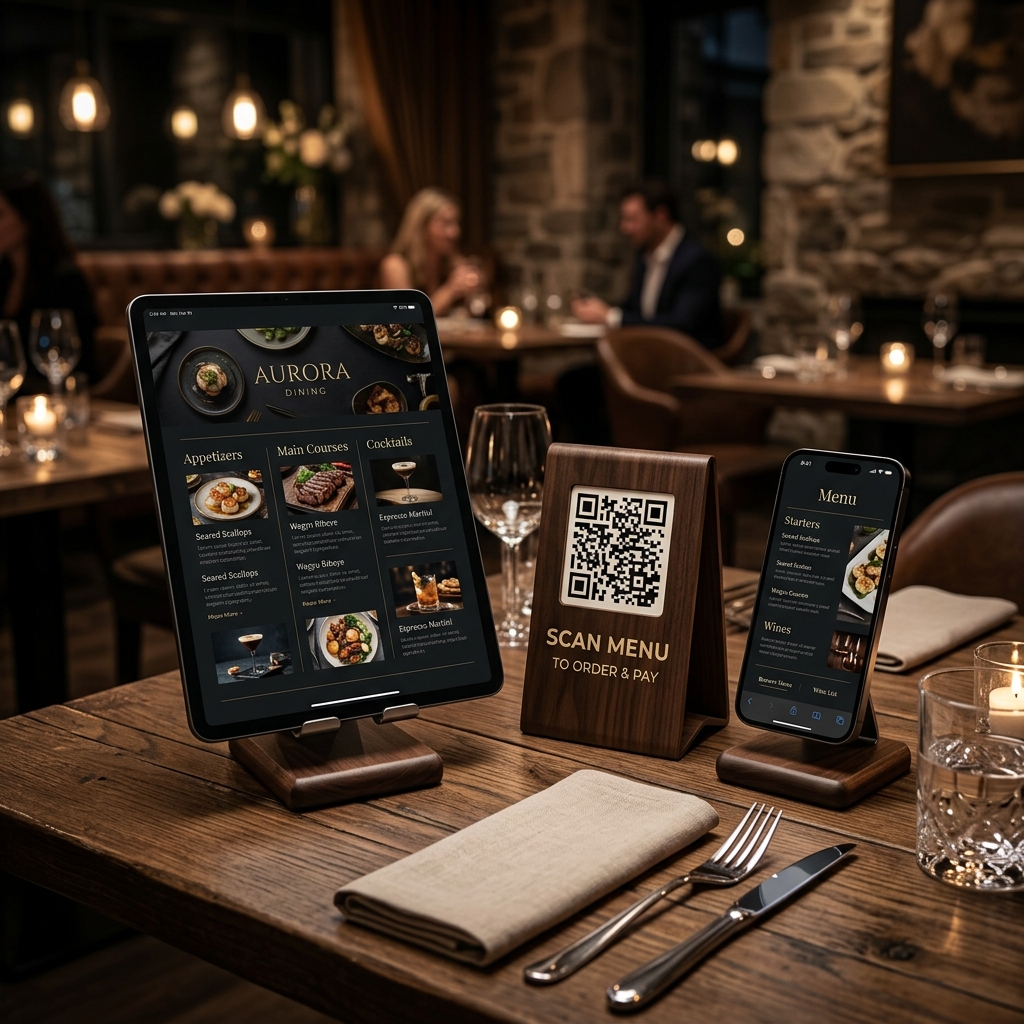
In the competitive food and beverage industry, efficiency, speed of service, and guest experience are everything. Traditional paper menus, while classic, present multiple challenges: they are expensive to print, difficult to sanitize, and impossible to update in real time when ingredients run out or prices change.
Restaurant QR menus have emerged as a game-changing solution for dining establishments of all sizes. By replacing or supplementing physical menus with dynamic QR codes, restaurants can streamline operations, decrease staff workload, and significantly boost revenue.
Here is how modern food and beverage businesses are utilizing QR codes to revolutionize the dining experience.
Key Benefits of QR Code Menus in Restaurants
1. Increase Average Order Value by 15-20%
Digital menus are inherently more interactive and visual than static paper menus. With a digital QR menu, restaurants can display high-quality food photography, suggest smart pairings (e.g., "Add truffle fries for $3"), and offer seamless upsells. Because customers order at their own pace without feeling rushed by a server, they tend to spend more per visit.
2. Update Menus and Prices Instantly
With traditional menus, changing a price or removing an out-of-stock item requires reprinting everything or crossing out text, which looks unprofessional. By using dynamic QR codes from QR Zam on table tents, you can update your digital menu instantly from your dashboard. Switch between breakfast, lunch, and dinner menus automatically based on the time of day!
3. Lower Labor Costs and Speed Up Table Turnover
During peak hours, servers spend a significant portion of their time walking back and forth bringing menus, taking orders, and processing payments. QR codes enable a "scan-to-order" or "scan-to-pay" model. This reduces the time servers spend on administrative tasks, allowing you to run smoothly with fewer front-of-house staff while turning tables faster.
4. Provide a Hygienic, Eco-Friendly Experience
Laminated menus are touched by dozens of hands daily and are difficult to keep perfectly clean. QR code menus provide a completely contactless experience. Additionally, eliminating paper menus reduces waste, aligning your brand with eco-friendly and sustainable practices.
Practical Applications in the Dining Room
Table Tent QR Codes
Place durable wooden or acrylic table tents on every table with a prominent QR code. Include a clear call-to-action like "Scan to View Menu & Order". This ensures the menu is always accessible to guests the moment they sit down.
Window and Sidewalk Signage
Place a large QR code on your storefront window or sandwich board labeled "Scan to View Our Menu". This allows passersby to browse your menu and prices, enticing them to come inside or order takeout directly from their phones.
Taproom and Bar Counters
In busy bars and breweries, waiting in line for a drink is a major pain point. Place QR codes along the bar counter so customers can scan, order, and pay for their drinks without waiting for the bartender's attention.
How to Set Up Your QR Menu with QR Zam
- Upload Your Menu: Host your menu as a PDF or link to your online ordering portal.
- Generate a Dynamic URL QR Code: Go to qrzam.com and select the URL or PDF option. Make sure to enable the Dynamic setting so you can update the menu file or link later without changing the printed QR code.
- Design for Your Brand: Add your restaurant's logo in the center, choose colors that complement your dining room interior, and add a custom frame (e.g., "Scan for Menu").
- Print and Display: Download the high-resolution vector (SVG) file and print it on table tents, coasters, or window stickers.
Frequently Asked Questions
Can I change my menu without printing new QR codes? Yes! As long as you use a Dynamic QR Code on QR Zam, you can upload a new PDF or change the destination URL at any time. The physical QR code printed on your tables remains exactly the same.
Do customers need an app to scan the menu? No. Most modern iOS and Android smartphones have built-in QR scanners directly in the default camera app. Customers simply open their camera, point it at the code, and tap the notification link to open the menu.
What is the recommended print size for table QR codes? For table tents and coasters, the QR code should be at least 2.5 x 2.5 cm (1 x 1 inch) to ensure it scans easily from a seated position under various lighting conditions.