

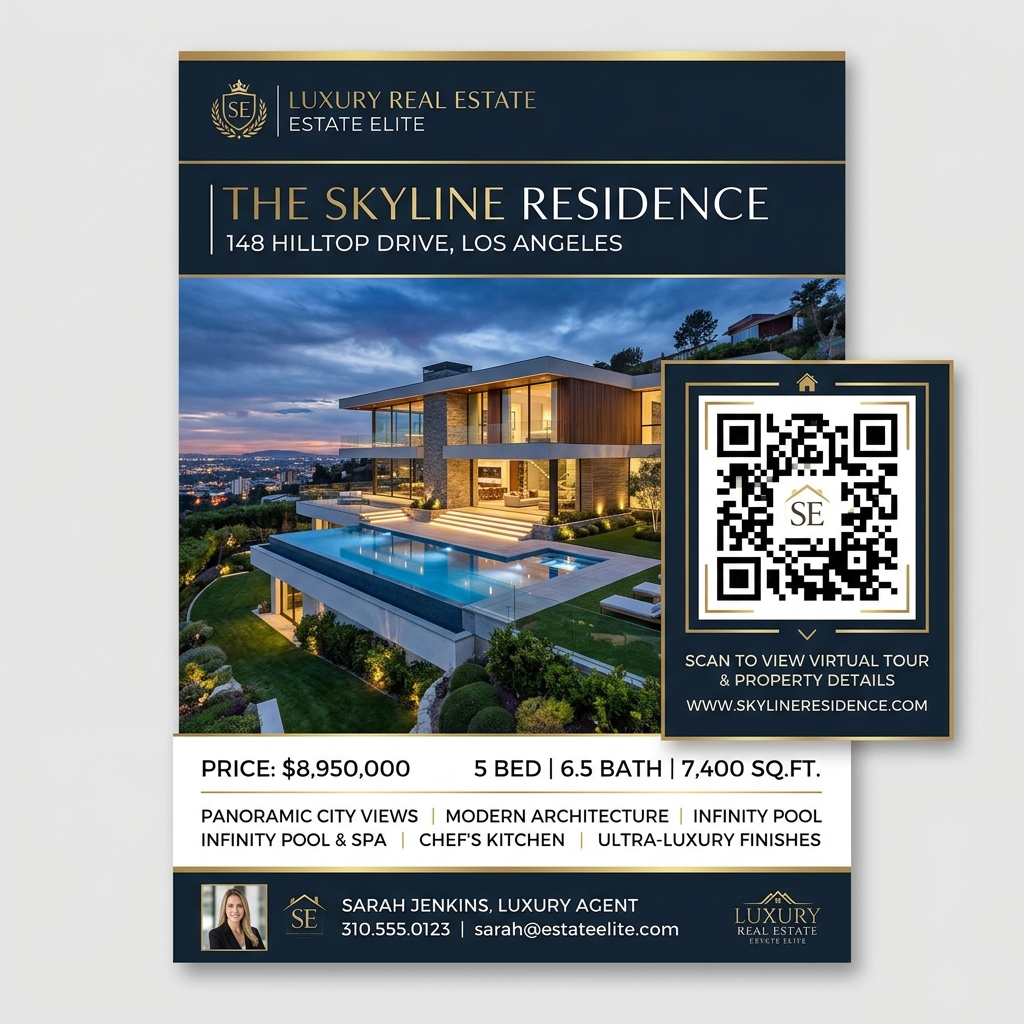
In the competitive world of real estate, speed and convenience are everything. Homebuyers browsing listings on their phones or driving through neighborhoods expect instant access to property information. Long URLs, printed sheets that run out, and outdated home brochures are significant bottlenecks for modern real estate agents.
Real estate QR codes solve these problems. By scanning a customized QR code on a yard sign or listing flyer, buyers are instantly taken to virtual tours, property details, agent contact information, or scheduling tools.
Here is how top real estate professionals use QR codes to capture high-intent leads and accelerate sales.
Key Benefits of QR Codes in Real Estate
1. Instant Access to 3D Virtual Tours
Instead of relying only on scheduled open houses, agents can link a QR code to a high-definition 3D video walk-through or Matterport tour. Buyers can tour the home virtually right from the curb.
2. Dynamic Information Updates
Listing details change rapidly—prices drop, open house times shift, or a property goes under contract. With dynamic QR codes from QR Zam, agents can change the destination URL behind the QR code at any time without reprinting signs or brochures.
3. Frictionless Lead Generation
Instead of asking buyers to manually type email addresses or fill out long contact forms, a QR code can trigger a pre-filled email, launch a WhatsApp chat, or direct them to a quick registration page for an open house.
4. Rich Engagement Analytics
Track which yard signs or flyers are getting the most scans. Analytics show the exact geographic locations and times when potential buyers are showing interest in your listings.
Practical Applications for Real Estate Agents
Open House Yard Signs
A yard sign is the first point of contact. Add a prominent QR code with a Call to Action (CTA) like "Scan for Price & Virtual Tour". This keeps working 24/7, even when you aren't on-site.
Print Property Flyers
Brochure boxes on yard signs often run out of paper, leaving buyers frustrated. A QR code printed on the sign ensures that buyers always have digital access to the full property brochure, images, and floor plans.
Business Cards & Digital vCards
Upgrade your networking. Place a vCard QR code on the back of your business cards. When scanned, it automatically saves your phone number, email, website, and social links directly into the prospect's phone contacts.
Direct Mail Postcards
If you mail out postcards to local neighborhoods promoting a "Just Listed" or "Just Sold" property, include a QR code. It makes it incredibly easy for neighbors to scan and view the listing online, turning passive readers into active leads.
Steps to Create a Real Estate QR Code with QR Zam
- Get Your Listing Link: Copy the URL of your property listing, virtual tour, or digital business card.
- Go to QR Zam: Visit qrzam.com and select the URL or vCard option.
- Toggle Dynamic Mode: Enable the "Dynamic QR Code" option to track scans and allow future URL editing.
- Customize the Design: Add a frame like "Scan for Photos", select colors that match your brokerage branding, and place your logo or a house icon in the center.
- Download & Print: Download your QR code in high-resolution PDF or SVG format for high-quality print production.
FAQs
1. Can I change where the QR code leads after I print it? Yes, if you use a Dynamic QR Code on QR Zam. You can log into your dashboard at any time, edit the destination link, and save it. The printed QR code remains exactly the same, but it will instantly direct users to the new page.
2. What size should a QR code be on a yard sign? For street-level yard signs meant to be scanned by people walking by, the QR code should be at least 10 x 10 cm (4 x 4 inches). If you want drivers to scan it from their cars, make it significantly larger and ensure it is placed at eye level.
3. Do buyers need a special app to scan the code? No. Most modern iOS and Android smartphones have built-in QR code scanners in their native camera apps. Users simply open their cameras, point them at the code, and tap the notification link.