

Using QR Codes for Government Services and Smart Cities
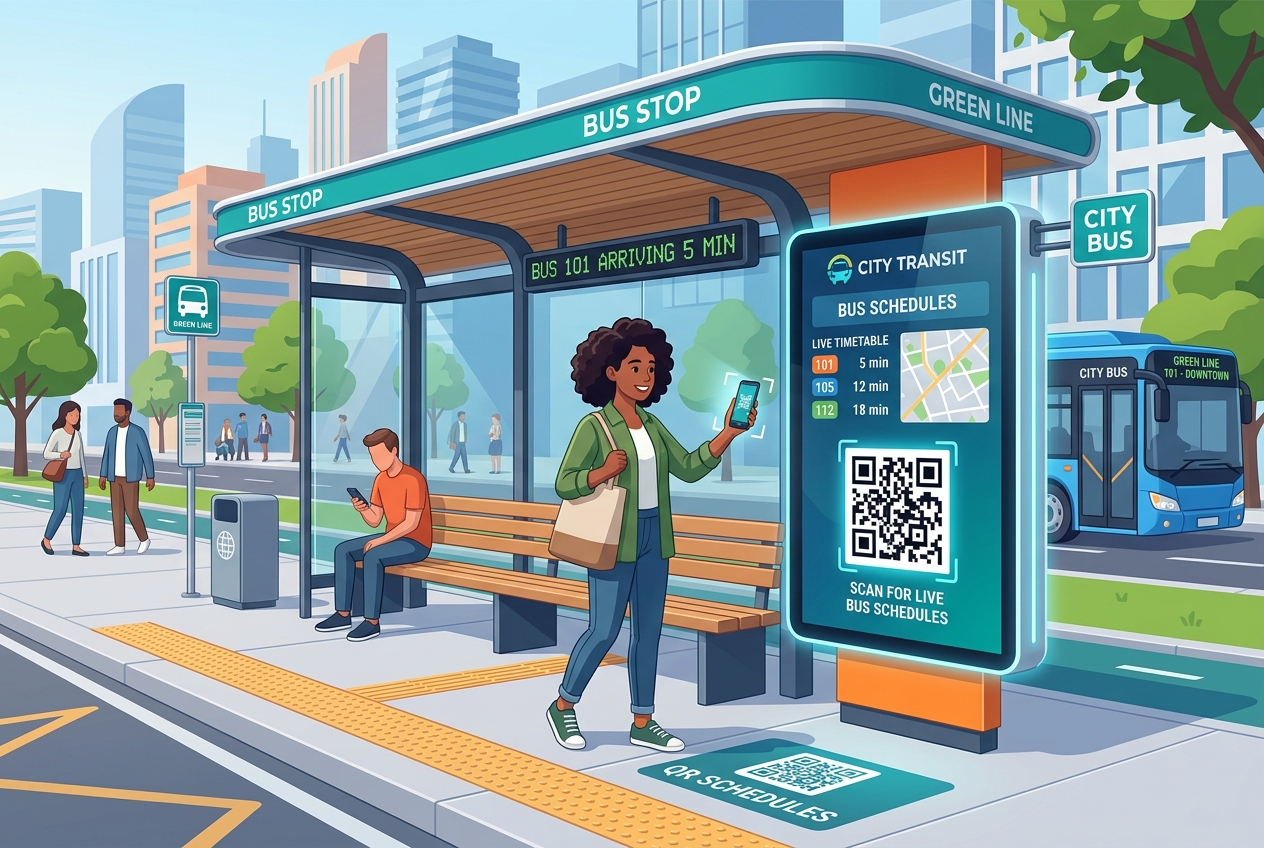
As cities grow and evolve, local governments and municipalities face the challenge of keeping citizens informed, simplifying public services, and building sustainable, efficient environments. The concept of the "Smart City" relies on leveraging digital technology to improve the quality of public services and make urban operations more responsive.
One of the most cost-effective and versatile tools driving this digital transformation is the QR code. By acting as a simple gateway between physical urban spaces and digital resources, QR codes help public administrations deliver information, collect feedback, and streamline services directly to citizens' smartphones.
In this article, we will examine how local governments are using QR codes to build smart cities, improve civic engagement, and digitize public administration.
Key Benefits of QR Codes for Municipalities
1. Instant Public Access
Citizens and tourists can access real-time information—such as transit schedules, municipal rules, or emergency alerts—instantly, without the need to download a specialized city application.
2. Significant Cost Savings
Updating printed public flyers, bus timetables, and park signage is extremely expensive and logistically difficult. By using dynamic QR codes, city departments can update information online in real-time, saving thousands of dollars in print costs and labor.
3. Multi-Language Support (Smart Routing)
In diverse cities, providing information in multiple languages is crucial. Using QR Zam's Smart Routing feature, a single QR code on a public sign can automatically redirect the scanner to the version of the page written in their phone's preferred language (e.g., English or Vietnamese).
4. Eco-Friendly Operations
Replacing piles of paper forms, civic brochures, and printed guides with digital versions supports city-wide sustainability goals and reduces physical waste in public areas.
Real-World Applications of QR Codes in Smart Cities
1. Public Transportation and Transit Shelters
Long wait times and missing buses are common pain points. Placing dynamic QR codes at bus shelters, train stations, and parking kiosks allows commuters to scan and view real-time transit timetables, delayed notifications, and digital route maps.
2. Digitizing Municipal Forms & Document Submissions
Instead of requiring citizens to stand in line at city hall to pick up paper documents, public offices can display QR codes linking directly to online application portals. Citizens can scan and download tax forms, business permit templates, or voter registration guides from their mobile devices.
3. Public Parks, Monuments, and Tourism Guides
Transform parks and historic landmarks into interactive educational hubs. Municipalities can install QR codes next to monuments, botanical specimens, or museum exhibits, linking visitors to rich multimedia guides, historical stories, or foreign language audio tours.
4. Citizen Feedback and Reporting Systems
Encourage civic participation by making it easy to report issues. By placing feedback QR codes on street lamps, waste bins, or public benches, citizens can instantly report graffiti, broken streetlights, or littering to municipal maintenance crews, attaching GPS coordinates and photos.
5. Seamless Bill and Parking Payments
Simplify parking and utility billing. QR codes printed on parking meters or monthly utility bills redirect residents to secure municipal payment portals, allowing them to pay via credit card, Apple Pay, or mobile banking apps.
Steps to Implement QR Codes in City Services with QR Zam
Setting up reliable QR codes for public infrastructure is straightforward:
- Step 1: Log into the QR Zam dashboard and select the appropriate generator type (e.g., URL for websites and forms, or PDF for public notices).
- Step 2: Enter the destination municipal URL or upload the public document.
- Step 3: Design for trust and durability. Customize the QR code with the city's official crest or logo, and choose a clean frame like "Scan for Bus Schedule" or "Scan to Report a Problem."
- Step 4: Set up a custom domain (e.g.,
qr.cityname.gov) using QR Zam's custom domain features. This is critical for security, verifying that the QR code is authentic and run by the government. - Step 5: Download the high-resolution vector files (SVG or EPS) to ensure the QR code prints sharply on metal signs, bus shelters, or large posters.
FAQs
1. How do smart cities prevent malicious actors from replacing public QR codes with fake ones?
This is a critical concern for public safety. Governments should use QR Zam's custom domains so that the URL preview visible on smartphones displays the official government domain (e.g., qr.cityname.gov). Additionally, cities should print QR codes directly onto weather-resistant, tamper-proof aluminum or acrylic signage rather than using paper stickers that can be easily peeled off or covered.
2. Can we update the link behind a public transit QR code if schedules change?
Yes. By generating dynamic QR codes, you can change the target URL at any time in the QR Zam dashboard without replacing the physical signs printed at bus stops or train stations.
3. Do dynamic QR codes work for users who don't have fast mobile data?
Yes. QR Zam's dynamic QR codes use very short, optimized URLs, which means they load quickly even on slower mobile networks (3G or basic public Wi-Fi).
Build a Smarter City Today
Modernizing public services doesn't require a multimillion-dollar budget. Implementing QR codes across transit networks, public offices, and civic landmarks is a cost-effective, high-impact step toward a digital-first city.
Ready to digitize your municipal services? Explore custom domain and dynamic QR features with QR Zam today.