

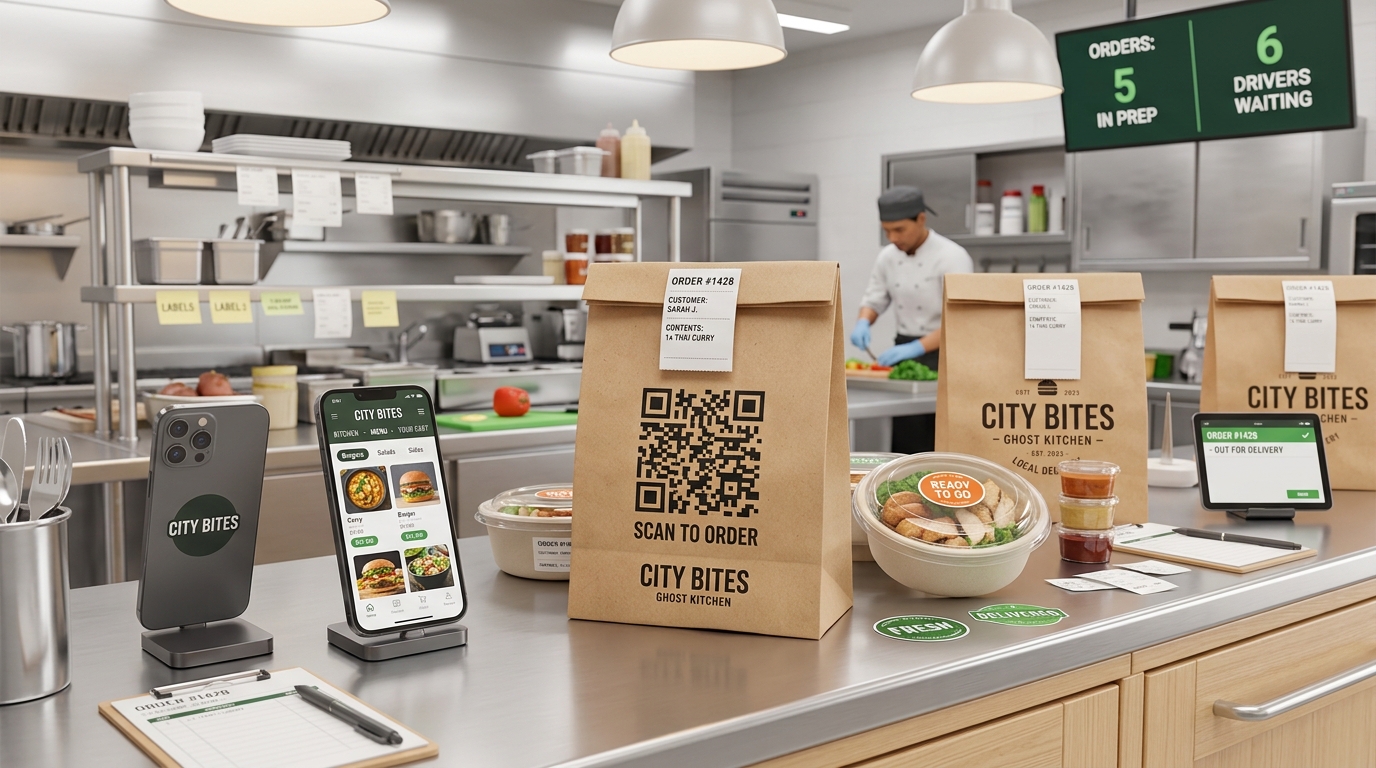
In the modern food and beverage industry, convenience is king. The rise of delivery apps and online ordering has transformed the dining landscape, giving birth to ghost kitchens (also known as cloud kitchens or dark kitchens). These delivery-only culinary spaces operate without a physical storefront, relying entirely on digital orders.
For ghost kitchens and independent restaurants relying on food delivery, connecting with customers is a unique challenge. Without a dining room or front-of-house staff, the only physical touchpoint you have with your customer is the delivery packaging itself.
This is where dynamic QR codes become a game-changer. By printing QR codes on food packaging, receipt slips, and marketing inserts, ghost kitchens can bypass expensive third-party platforms, build direct relationships with their customers, and drive recurring sales.
Key Benefits of QR Codes for Ghost Kitchens
1. Bypass High Commission Fees
Third-party food delivery aggregators can charge restaurants up to 30% commission per order. By placing a QR code on the delivery bag that links directly to your restaurant's own online ordering portal, you can convert delivery-platform customers into direct, commission-free customers.
2. Own Your Customer Data
When a customer orders through a third-party app, the platform owns the customer relationship and data. By directing customers to order directly from you via a QR code, you can collect valuable emails and phone numbers to fuel your marketing campaigns.
3. Simplify Digital Menu Management
With a dynamic QR code menu on your packaging, you can adjust prices, update seasonal dishes, or mark sold-out items in real-time. Since the QR code is dynamic, the printed code on your food boxes remains the same, even as your digital menu evolves.
4. Optimize Limited Packaging Space
Delivery packaging has limited physical space. Instead of stuffing bags with paper feedback cards, loyalty stamps, and social media handles, a single, clean QR code can act as a gateway to all of these digital touchpoints.
How Ghost Kitchens & Delivery Services Use QR Codes
1. Smart Delivery Bag Packaging Inserts
The delivery bag is your physical storefront. Print a large, custom QR code directly on the bag or on a security seal sticker with a compelling hook like, "Scan here to get 15% off your next direct order!" This turns one-time app users into loyal, direct-ordering customers.
2. Interactive Menu & Nutritional Information
Many customers want to see nutritional details, allergen alerts, or the story behind your ingredients. A "Menu QR Code" on the food container can link directly to a rich mobile page detailing ingredients, sourcing, and prep videos, enhancing the overall dining experience.
3. Frictionless Feedback and Review Generation
Online ratings can make or break a delivery-only brand. Place a QR code on the packaging or receipt asking: "How was your meal? Scan to rate us." Direct customers directly to your Google Maps review page or Yelp profile to boost your local SEO rankings.
4. Build Loyalty Programs & Digital Rewards
Encourage repeat orders by letting customers scan a QR code to join your digital loyalty club. They can track points, earn digital badges, and unlock exclusive discounts, which increases customer lifetime value (LTV).
5. Drive Social Media Engagement
Ghost kitchens thrive on visual appeal. Ask customers to share photos of their meals on Instagram or TikTok by scanning a "Social QR Code" linking directly to your profiles. You can run promotions like "Scan & post your meal tagging us to win a free dessert next week."
Steps to Generate Food Delivery QR Codes with QR Zam
Creating custom, professional QR codes for your delivery business is straightforward:
- Choose your destination URL: Determine where you want to send customers (e.g., your direct checkout portal, a review page, or a feedback form).
- Generate a Dynamic QR Code: Use QR Zam to create a dynamic code so you can update the destination link later and track scan analytics.
- Design for Your Brand: Add your logo, select colors that match your restaurant branding, and adjust the corner shapes.
- Download and Print: Download the high-resolution files (SVG or PNG) and hand them over to your packaging printer or sticker provider.