

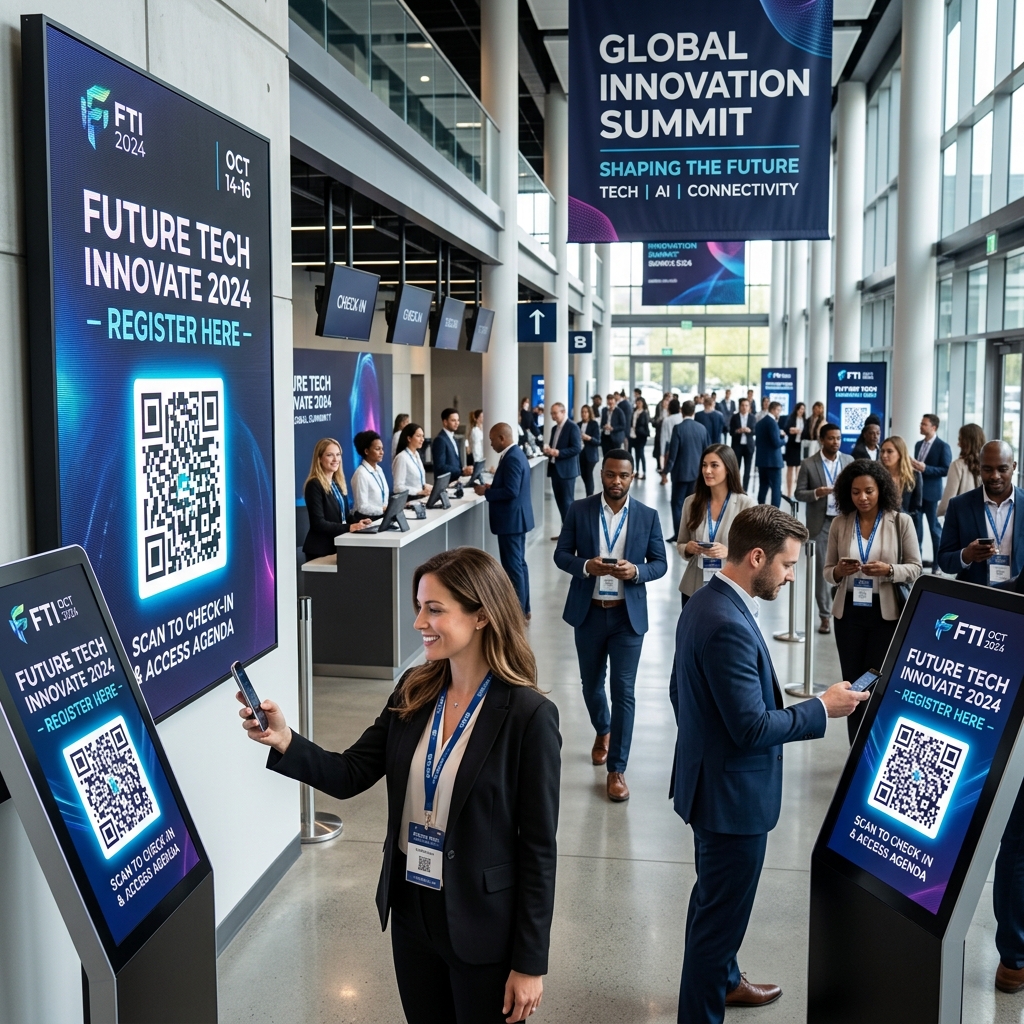
In the fast-paced world of events and conferences, smooth execution is key to attendee satisfaction. Organizing hundreds or thousands of participants, coordinating speakers, and distributing schedules can easily become a logistical nightmare. Printed programs quickly become outdated when a speaker cancels, and long queues at check-in desks can ruin the attendee experience before the event even begins.
Event QR codes offer a seamless, digital solution. By integrating QR codes into your ticketing, check-in, and information distribution processes, you can streamline operations and keep attendees engaged.
Here is how modern event organizers leverage QR codes to run successful, frictionless conferences and exhibitions.
Key Benefits of QR Codes in Event Management
1. Instant, Frictionless Check-In
Instead of manual search lists or physical tickets, attendees can simply present a QR code sent to their email or mobile app. Staff can scan the code in under a second using a smartphone or dedicated scanner, printing the badge instantly and keeping queues moving.
2. Live, Dynamic Schedule Updates
Event schedules are notorious for changing at the last minute. When you print physical booklets, any change leads to confusion and wasted materials. By using dynamic QR codes from QR Zam on banners and posters, you can redirect attendees to a live, web-based schedule that you can update instantly.
3. Sustainable and Cost-Effective
Printing booklets, maps, and pamphlets for every attendee is expensive and bad for the environment. A single QR code printed on a reusable badge or a banner can direct attendees to all digital materials, including PDFs, maps, and presentation slides.
4. Direct Feedback Collection
Gathering attendee feedback is essential for measuring event success. By placing feedback QR codes on screens at the end of presentations or on tables in the dining hall, you make it incredibly easy for attendees to submit quick ratings and comments on the spot.
Practical Applications for Event Organizers
Interactive Venue Maps and Wayfinding
Large conference centers can be confusing. Place QR codes at key junctions labeled "Scan for Interactive Venue Map". This helps attendees find exhibition booths, presentation rooms, and amenities easily on their phones.
Speaker Slides and Digital Handouts
Instead of speakers sharing long, hard-to-remember URLs at the end of their talks, they can display a QR code on the final slide. Attendees scan it to download the presentation, speaker bio, and supplementary materials.
Instant Networking and Contact Exchange
Encourage networking by including a vCard QR code on every attendee badge. Instead of swapping paper business cards that get lost, participants can scan each other's badges to instantly save contact details directly to their phone's address book.
Wi-Fi Access in the Exhibition Hall
Eliminate the frustration of attendees typing complex network passwords. Display prominent Wi-Fi QR codes created with QR Zam around the venue. One quick scan connects their device to the event Wi-Fi network automatically.
Steps to Create an Event QR Code with QR Zam
- Choose Your Content: Decide what the QR code will link to (e.g., ticket portal, dynamic PDF schedule, website, or Wi-Fi configuration).
- Go to QR Zam: Visit qrzam.com and select the corresponding option (e.g., URL, PDF, or WIFI).
- Use Dynamic Routing: Enable the dynamic option so you can update the link or file backend even after badges or banners are printed.
- Customize the Design: Customize colors to match the event's branding, add your event logo in the center, and choose an inviting frame (e.g., "Scan for Schedule").
- Download in Vector Format: Export the QR code in SVG or PDF format to ensure it prints with high-definition clarity on large banners and posters.
FAQs
1. Can I track how many people scanned a QR code at my event? Yes. With QR Zam's dynamic analytics, you can view the number of total and unique scans, the time of scans, and the type of devices used. This data provides valuable insights into which booths, sessions, or materials attracted the most interest.
2. What happens if our event schedule changes after printing the QR codes? If you used a Dynamic QR Code on QR Zam, you can easily log into your dashboard, update the destination link to the new schedule webpage, and save. The printed QR codes will immediately route users to the updated schedule without needing a reprint.
3. What is the recommended size for printing QR codes on attendee badges? For attendee badges, the QR code should be at least 2 x 2 cm (approx. 0.8 x 0.8 inches) to ensure standard smartphone cameras can scan them quickly and easily from a normal reading distance.