

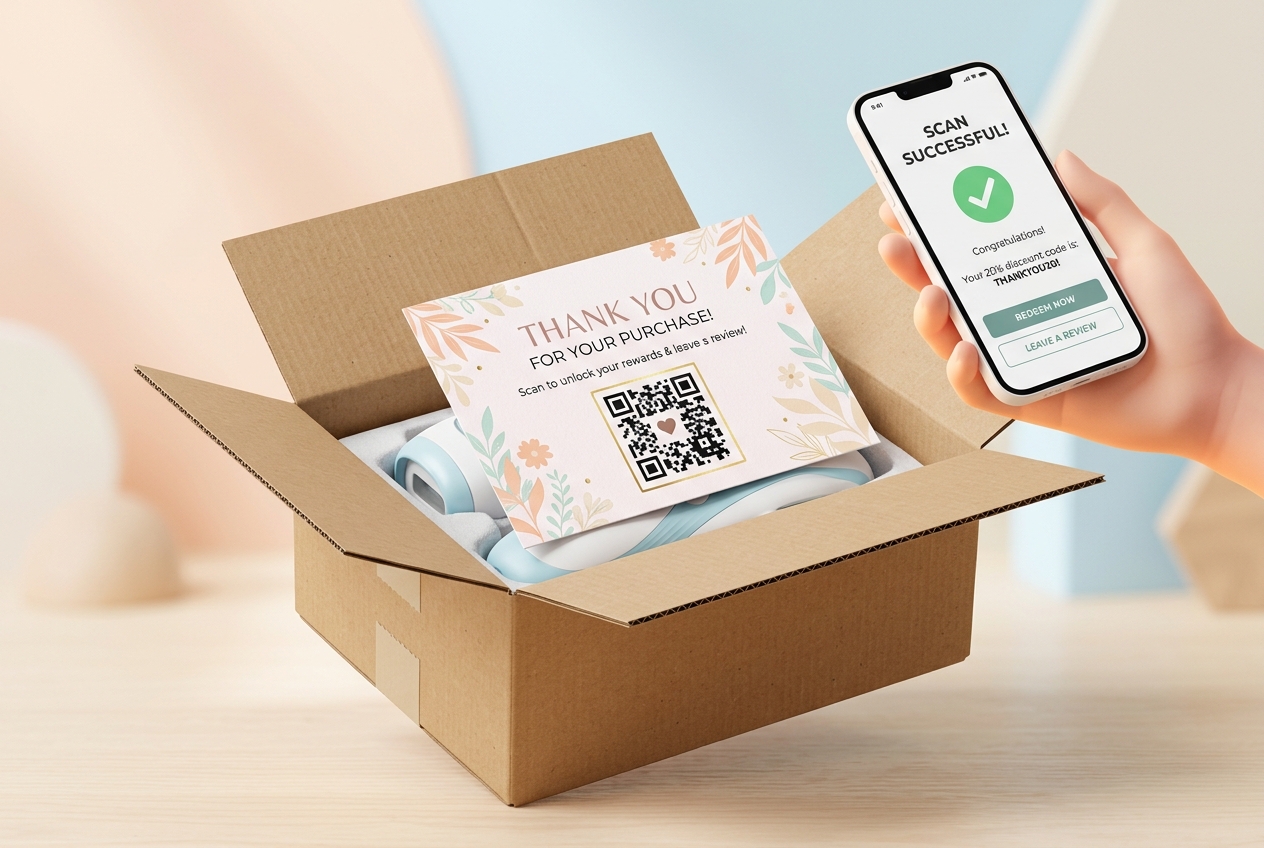
In the fast-growing e-commerce landscape, the unboxing experience is a critical customer touchpoint. It is the moment of highest excitement for a shopper. However, many brands miss a massive opportunity by failing to engage customers after the sale.
E-commerce package inserts—such as thank-you cards, user manuals, and warranty sheets—are highly effective tools for post-purchase marketing. By adding a dynamic QR code from QR Zam to your packaging inserts, you can easily bridge the physical product in the customer's hands to your online brand experience.
Here is how modern e-commerce brands use QR codes to turn single-time buyers into loyal brand advocates.
Key Benefits of QR Codes on Package Inserts
1. Simplify Product Registration and Warranty Activation
For electronics, appliances, and home goods, getting customers to register their products is notoriously difficult. If registration requires typing a long URL and filling out serial numbers, most users will skip it. A dynamic QR code on a warranty insert card simplifies this: a quick scan pre-fills the registration page, allowing users to register in under 30 seconds.
2. Boost Post-Purchase Customer Reviews
Positive reviews are the lifeblood of e-commerce stores on platforms like Shopify, Amazon, and WooCommerce. You can place a QR code labeled "Scan to Share Your Feedback" on your thank-you cards. This takes customers directly to your Google Review page, Trustpilot, or the specific product review page, capturing feedback when excitement is at its peak.
3. Drive Repeat Purchases with Next-Order Discounts
Include a QR code on your insert offering an exclusive reward, such as "Scan to unlock a 15% discount on your next order!" By linking the QR code to a dynamic landing page with a pre-applied discount code, you can significantly reduce the time between a customer's first and second purchase.
4. Provide Easy Access to Digital User Guides
Instead of printing bulky paper instruction manuals that end up in the trash, print a small card with a PDF QR code. Customers scan the code to instantly view or download the user guide on their phone. This lowers your printing and shipping costs while being highly eco-friendly.
Practical Applications for E-commerce Packaging
Thank-You Cards
Place a beautifully designed thank-you card at the very top of your box. Make sure the QR code is prominently displayed with a clear call-to-action like: "Scan to join our loyalty club & get free shipping on your next order."
Warranty & Registration Inserts
Include a dedicated insert card for high-value items detailing warranty terms. Include a QR code with the CTA: "Scan here to activate your 1-year warranty."
Quick-Start Guides
Create a single-page card with step-by-step setup steps. Underneath, add a QR code linked to a video tutorial: "Having trouble? Scan to watch our step-by-step setup video!"
How to Set Up Your Package Insert QR Codes with QR Zam
- Determine the Goal: Choose whether your QR code will link to a review page, discount portal, PDF guide, or setup video.
- Generate a Dynamic QR Code: Create a dynamic URL or PDF QR code on qrzam.com. The dynamic setting is crucial—it lets you change the destination link or update the discount code later without reprinting your cards.
- Design for Unboxing Appeal: Tailor your QR code to match your packaging aesthetics. Use your brand colors, add your logo, and apply custom frames.
- Test and Print: Always scan the code with both iOS and Android devices under different lighting conditions before printing bulk packaging inserts.
Frequently Asked Questions
Can I change where the QR code redirects after the insert is printed? Yes! As long as you generate a Dynamic QR Code in QR Zam, you can change the target URL or swap out the PDF manual at any time from your dashboard.
How do I track how many customers scan my package inserts? QR Zam provides comprehensive scan analytics. You can view scan counts, scanner geographic location, scan times, and device operating systems.
What is the minimum recommended print size for package inserts? For small cards or packaging inserts, the QR code should be at least 2 x 2 cm (0.8 x 0.8 inches) to ensure smooth scanning by all smartphone cameras.