


QR Codes in Product Catalogs: Bridging Offline Browsing and Online Sales
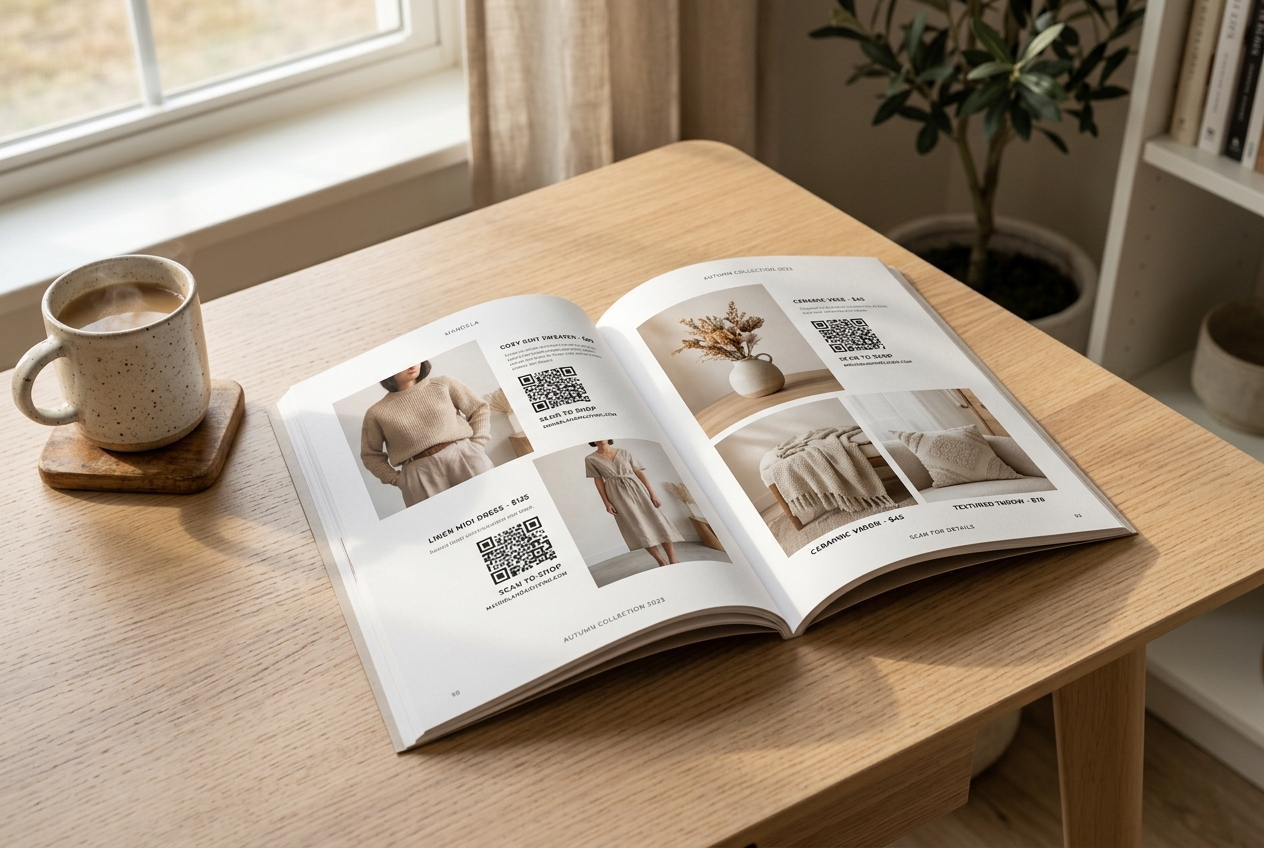
In an increasingly digital world, the tactile experience of flipping through a high-quality print catalog remains unmatched. High-end fashion brands, home decor retailers, and B2B manufacturers continue to invest in catalogs because they inspire customers in a way that grid-based web pages simply cannot.
However, the traditional print catalog has a glaring weakness: friction. When a reader finds an item they love, they must manually search for the brand online, navigate the website, search for the product code, and finally add it to their cart. Each step is an opportunity for the customer to lose interest.
By embedding dynamic QR codes directly onto catalog pages, brands can eliminate this friction entirely. With a simple scan, readers can instantly view, customize, and purchase products on their smartphones, seamlessly bridging physical browsing with digital commerce.
Here is how you can use QR codes in product catalogs to drive sales, track offline engagement, and optimize your marketing return on investment (ROI).
Why Use QR Codes in Product Catalogs?
1. Zero Friction from Discovery to Checkout
QR codes act as immediate physical links to digital product pages. Instead of copying SKU numbers or search queries, customers scan the code next to an item and are taken directly to the exact product page, pre-configured with the correct color or size options, or even directly to a pre-filled checkout cart.
2. Live Inventory and Pricing Updates
Unlike digital listings, once a print catalog is distributed, its content is locked. If an item goes out of stock or its price changes, the print info becomes incorrect. By using dynamic QR codes from QR Zam, the destination URL can be updated at any time. If an item is sold out, you can instantly redirect the QR code scan to a backorder page, a similar product, or a digital signup form to get notified of restocks.
3. Detailed Scan Tracking and Analytics
Traditionally, it was impossible to know which pages of a catalog generated the most interest. With QR Zam's dynamic tracking dashboard, you can monitor:
- Scan volume: Which products and pages get the most attention.
- Geographic data: Where your most active buyers are scanning from.
- Time-based trends: When customers are interacting with your print materials.
- Device types: Whether they are scanning with iOS or Android, helping you optimize their mobile experience.
Creative Strategies for Catalog QR Codes
Direct "Scan-to-Buy" Checkout
Make purchasing instant. Link your catalog QR code directly to a checkout session pre-loaded with the specific catalog item. Combine this with mobile payment options like Apple Pay or Google Pay to enable one-tap purchases directly from the print page.
Interactive Product Visualizations
Printed photos can only show so much. Link catalog QR codes to 3D product previews, augmented reality (AR) try-ons, or video demonstrations. For instance, a furniture retailer can allow customers to scan a code and place a 3D model of a sofa in their actual living room using AR.
Instant Digital Size and Style Guides
Rather than cluttering your clean catalog layout with extensive sizing charts and material descriptions, embed a QR code labeled "Scan for Size Guide & Material Care." This keeps your catalog design minimal and elegant while providing all necessary information.
Best Practices for Implementing Catalog QR Codes
To ensure the highest possible scan rates and a seamless user experience, follow these design and technical guidelines:
- Keep it Small and Elegant: While the QR code needs to be scannable, it shouldn't distract from your product photos. Aim for a size of at least 2 x 2 cm, and position it neatly next to the product description or pricing block.
- Add a Clear Call to Action (CTA): A naked QR code is rarely scanned. Always include a brief instruction like "Scan to Shop," "Scan for 3D View," or "Scan to See Colors."
- Use Dynamic QR Codes: Never use static QR codes for catalogs. If your product link changes, a static code will break, rendering your printed catalogs useless. Dynamic QR codes allow you to edit the destination link at any time without changing the printed image.
- Optimize the Mobile Landing Page: Ensure the destination page is fully responsive, loads in under two seconds, and has a clear, thumb-friendly checkout flow.
Get Started with QR Zam
Ready to turn your print catalogs into high-converting e-commerce channels? With QR Zam, you can easily generate bulk dynamic QR codes, customize them with your brand colors and logo, and track detailed analytics to measure your campaign's success.
Explore our affordable pricing plans starting at just $4.5/month, or sign up for a free trial today to start bridging your physical and digital sales.