


QR Codes for Payments: How to Accept Payments Instantly
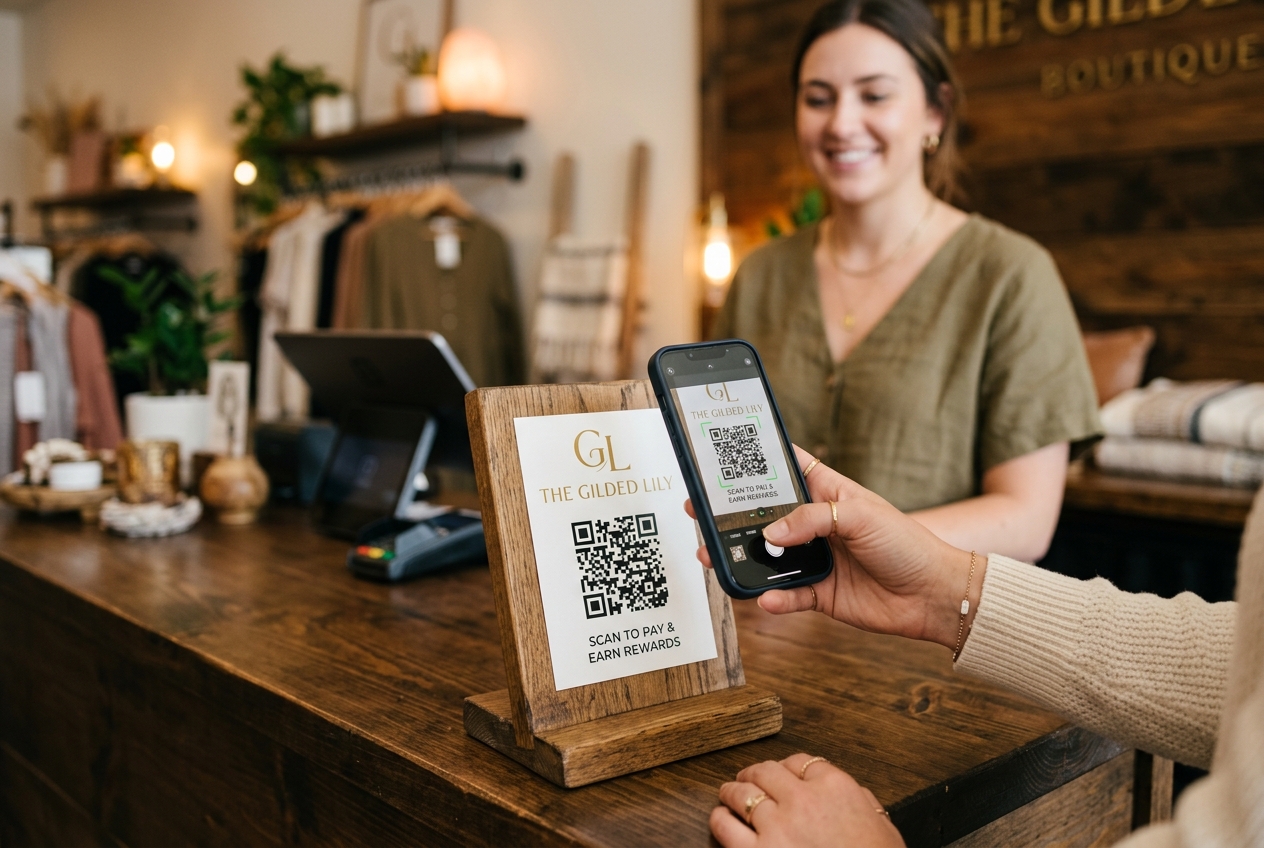
In today's fast-paced digital economy, customers expect transaction processes to be quick, contactless, and frictionless. Whether you run a bustling coffee shop, a local retail store, a consulting firm, or work as an independent creator, offering a seamless checkout experience is critical for converting sales and building customer loyalty.
One of the most effective and affordable ways to achieve this is by implementing QR codes for payments. By using a QR code generator, you can bridge the physical and digital worlds, allowing customers to scan and pay in seconds using their smartphones.
In this comprehensive guide, we will explore how payment QR codes work, the key differences between static and dynamic payment codes, and how you can start accepting payments instantly.
What is a Payment QR Code?
A payment QR code is a visual barcode that encodes payment-related information. When a customer scans the QR code using their smartphone camera or a mobile wallet app, it automatically redirects them to a secure checkout portal, a payment gateway, or triggers a direct wallet transfer.
QR codes can be used to facilitate various payment types:
- Link-Based Checkout: Directing users to a Stripe, Shopify, or PayPal checkout link.
- Direct Wallet Transfers: Initiating peer-to-peer transfers (like Venmo, Zelle, or Cash App).
- Cryptocurrency Payments: Displaying a Bitcoin or Ethereum wallet address.
- Custom Payment Landing Pages: Linking to a branded mobile-responsive page built using QR Zam, showing multiple payment options.
Static vs. Dynamic QR Codes for Payments
When setting up payment QR codes, it is essential to understand the difference between static and dynamic codes, as they serve different business needs.
1. Static Payment QR Codes
Static QR codes encode the payment information directly into the pattern of the code. Once generated, this information cannot be changed.
- Best For: Permanent payment destinations, such as a fixed PayPal donation link, a personal Bitcoin wallet address, or a static bank account number.
- Drawbacks: If you change your payment gateway or want to update the payment amount, you must generate and print a completely new QR code. Additionally, static codes do not offer qr code tracking or scan analytics.
2. Dynamic Payment QR Codes
Dynamic QR codes store a short redirect URL rather than the raw payment details. This offers significant advantages:
- Changeable Destinations: You can edit the target payment link at any time behind the scenes, without changing the printed QR code itself. If you switch from PayPal to Stripe, you simply update the URL in your dashboard.
- Scan Analytics: You can track valuable data through your qr code analytics dashboard. Learn how many people scanned the code, what times of day are most active, and which locations generate the most scans.
- Sleeker Design: Because the pattern only encodes a short URL, the QR code remains simple and easy to scan, even at small sizes on tables or business cards.
4 Creative Ways to Use QR Codes for Payments
1. Sleek Checkout Stands
Place a customized, framed QR code at your checkout counter. Instead of waiting in line to tap a card or count cash, customers can scan the code to pay on their phones. This speeds up the checkout process and reduces queue times.
2. Table-Side Ordering and Payments
For cafes and restaurants, combining a restaurant qr menu with payment integration is a game-changer. Customers scan a QR code on their table to browse the menu, place their order, and complete their payment directly from their seats—eliminating the need to wait for a waiter to bring the bill.
3. Invoices and Billing Statements
Add a payment QR code directly to your PDF or printed invoices. Instead of typing in bank details or navigating to a website to enter credit card info, your clients can simply scan the invoice code to pay instantly via their preferred mobile method.
4. Product Packaging and Direct Mail
If you sell physical products, print a QR code on the packaging or shipping box. This code can direct customers to a subscription rebuy page, allowing them to scan, reorder, and pay for refills in seconds. You can also include payment QR codes on direct mail flyers to boost donation or purchase conversions.
How to Create a Payment QR Code with QR Zam
Creating a professional, branded payment QR code is quick and easy with QR Zam:
Step 1: Prepare Your Payment Link
Get the checkout URL, donation link, or wallet address from your payment processor (e.g., Stripe Payment Links, PayPal.Me, or Shopify checkout).
Step 2: Input Your Link into QR Zam
Log into your QR Zam dashboard. Select the Dynamic URL option (or choose PayPal / Bitcoin dedicated static options if preferred). Paste your payment link.
Step 3: Customize Your Design
Make your QR code stand out and build trust by customizing its look:
- Add your company logo to the center of the QR code.
- Customize the colors to match your brand identity.
- Use a custom domain (e.g.,
pay.yourbrand.com) to reassure customers that the link is safe.
Step 4: Download and Print
Download your high-resolution QR code image in PNG, SVG, or PDF format. Print it on counter signs, menus, invoices, or product tags.
Best Practices for Payment QR Codes
To ensure high scan rates and secure transactions, follow these best practices:
- Prioritize Security: With qishing (QR code phishing) on the rise, customers are cautious about scanning random codes. Always use a custom branded domain and display your logo. This tells users exactly who they are paying.
- Add a Clear Call-to-Action (CTA): Don't just place a bare QR code. Surround it with a clear instruction like "Scan to Pay Instantly" or "Scan to Donate."
- Optimize for Mobile: Ensure that the landing page or checkout portal your QR code links to is fully optimized for mobile devices. A clumsy desktop-only checkout page will lead to abandoned carts.
- Test Before You Print: Always scan your printed QR code with multiple mobile devices and camera apps to confirm it redirects to the correct payment portal and scans quickly.
Upgrade Your Checkout Experience Today
Implementing payment QR codes is one of the easiest ways to modernize your business, speed up payments, and offer the contactless checkout experience your customers love.
Ready to create your custom payment QR codes? Get started with QR Zam today and take control of your offline-to-online payments.