


QR Code Call to Action: How to Write CTAs That Double Your Scan Rates
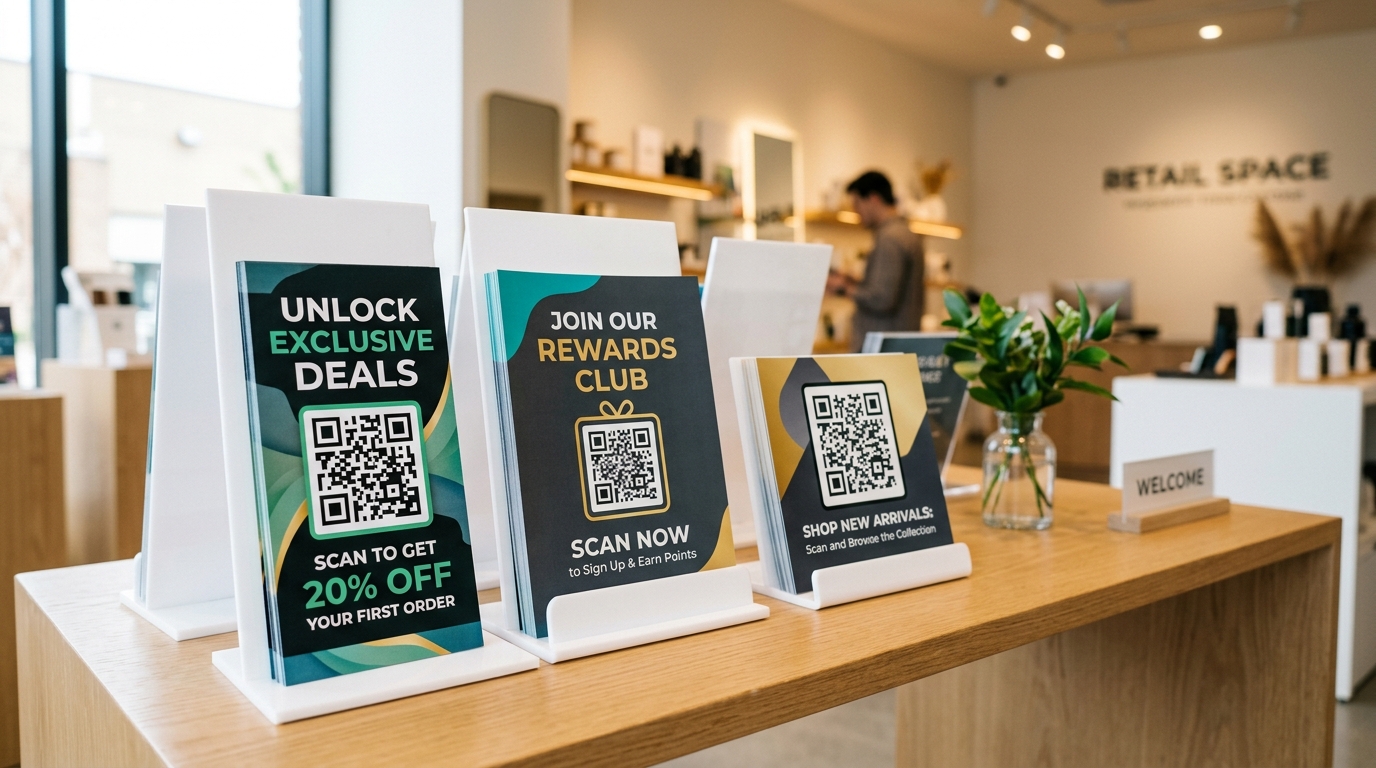
We see them everywhere: mysterious black-and-white squares pasted on posters, flyers, table tents, and product packages, sitting silently without a single word of explanation.
These are "naked" QR codes—and from a marketing perspective, they are a massive missed opportunity.
A QR code without a Call to Action (CTA) is like a button on a website with no text on it. Why would a customer take out their phone, open their camera app, and scan a code if they have no idea what is on the other side?
If you want to boost your scan rates, drive conversions, and maximize the ROI of your physical campaigns, you need a compelling QR Code Call to Action.
In this guide, we will break down the psychology of a successful scan, share high-converting CTA templates for every industry, and show you how to use a QR code generator to design QR codes that people actually want to scan.
The Psychology of the Scan: Why People Scan QR Codes
Scanning a QR code requires physical effort. A user must stop what they are doing, pull out their phone, unlock it, open the camera, point it at the code, and click the link.
To overcome this friction, your CTA must trigger one of these psychological drivers:
- Clear Reward (Incentive): The user needs to know what they will get. Instead of a generic "Scan Me," use "Scan to Get 15% Off" or "Scan to Download the PDF Brochure."
- Curiosity (Mystery): Humans love solving mysteries. Phrases like "Scan to Reveal Your Mystery Discount" leverage curiosity to drive engagement.
- Convenience (Friction Reduction): Show them how scanning saves time. "Scan to Connect to Wi-Fi" or "Scan to Order from Your Table" promises an easier path than manual entry.
- Urgency (Fear of Missing Out): Set a deadline. "Scan to Claim Today's Deal" or "Scan to Register—Only 5 Spots Left" prompts immediate action.
25 High-Converting QR Code CTA Examples by Industry
A great CTA is specific to its context. Here are proven, high-performing QR code Call to Action examples tailored to different business models and use cases:
Retail & E-Commerce
- "Scan to Unlock 15% Off Your First Order"
- "Scan to Join Our VIP Loyalty Club"
- "Scan to Shop the Entire Collection Online"
- "Scan for Customer Support & Product Registration"
- "Scan to Watch Our Assembly Video Guide"
Restaurants & Cafes
- "Scan to View Menu & Order from Your Table"
- "Scan to Claim a Free Dessert on Your Next Visit"
- "Scan to Book Your Next Reservation"
- "Scan to Leave a Google Review"
Real Estate
- "Scan to Take a 3D Virtual Home Tour"
- "Scan to View Current Price, Photos & Availability"
- "Scan to Contact the Agent Directly"
Events & Conferences
- "Scan to Get Your Free Ticket & Entry Pass"
- "Scan to View the Event Schedule & Speaker Bios"
- "Scan to Download Event Slides & Resources"
B2B & Marketing Agencies
- "Scan to Schedule Your Free 15-Minute Consultation"
- "Scan to Download the Industry Whitepaper"
- "Scan to Get Our Free PDF Guide"
Local Services & Small Businesses
- "Scan to Get a Free Estimate Instantly"
- "Scan to Book an Appointment"
- "Scan to Connect to Free Wi-Fi"
Design Best Practices: How to Make Your QR Code CTA Stand Out
Having a great phrase is only half the battle. If your customers don't notice the CTA, they won't scan it. Follow these design principles to ensure visibility:
1. Use QR Code Frames
Instead of placing text next to the QR code, wrap the code in a stylized frame. Modern platforms like QR Zam allow you to choose from various frame templates with built-in text blocks (e.g., "SCAN ME", "SCAN FOR MENU", "DOWNLOAD APP"). This groups the visual and the instruction into a single, cohesive unit.
2. Highlight with High Contrast
Ensure your QR code and its frame stand out from the background of your printed material. Use contrasting colors (e.g., a dark blue frame on a clean white flyer) to grab attention. Avoid using colors that are too light, as they may make the code unscannable.
3. Position Strategically
Place your QR code at eye level and make sure it is large enough to be scanned from a comfortable distance. As a general rule, the QR code should be at least 1 x 1 inch (2.5 x 2.5 cm) for print materials like flyers or business cards.
How to Track and Optimize Your CTA Campaigns
The best way to find the perfect CTA is to test and track. By using a dynamic QR code, you can modify the destination URL and track scan metrics in real-time.
- Leverage A/B Testing: Print two variations of your flyer—one with "Scan to Save 10%" and another with "Scan to Join the Loyalty Program." Use separate dynamic QR codes for each version.
- Monitor Scan Analytics: Check your qr code analytics dashboard to see which CTA generated more scans, what times of day had the highest activity, and where the scans originated.
- Refine and Repeat: Double down on the winning phrasing and apply the insights to your next campaign.
Ready to create your own high-converting QR codes? Head over to QR Zam and start building custom, brand-aligned QR codes with custom frames, colors, and logos to boost your marketing performance today.