


How to Use QR Codes on Billboards and Outdoor Advertising: The Complete Guide
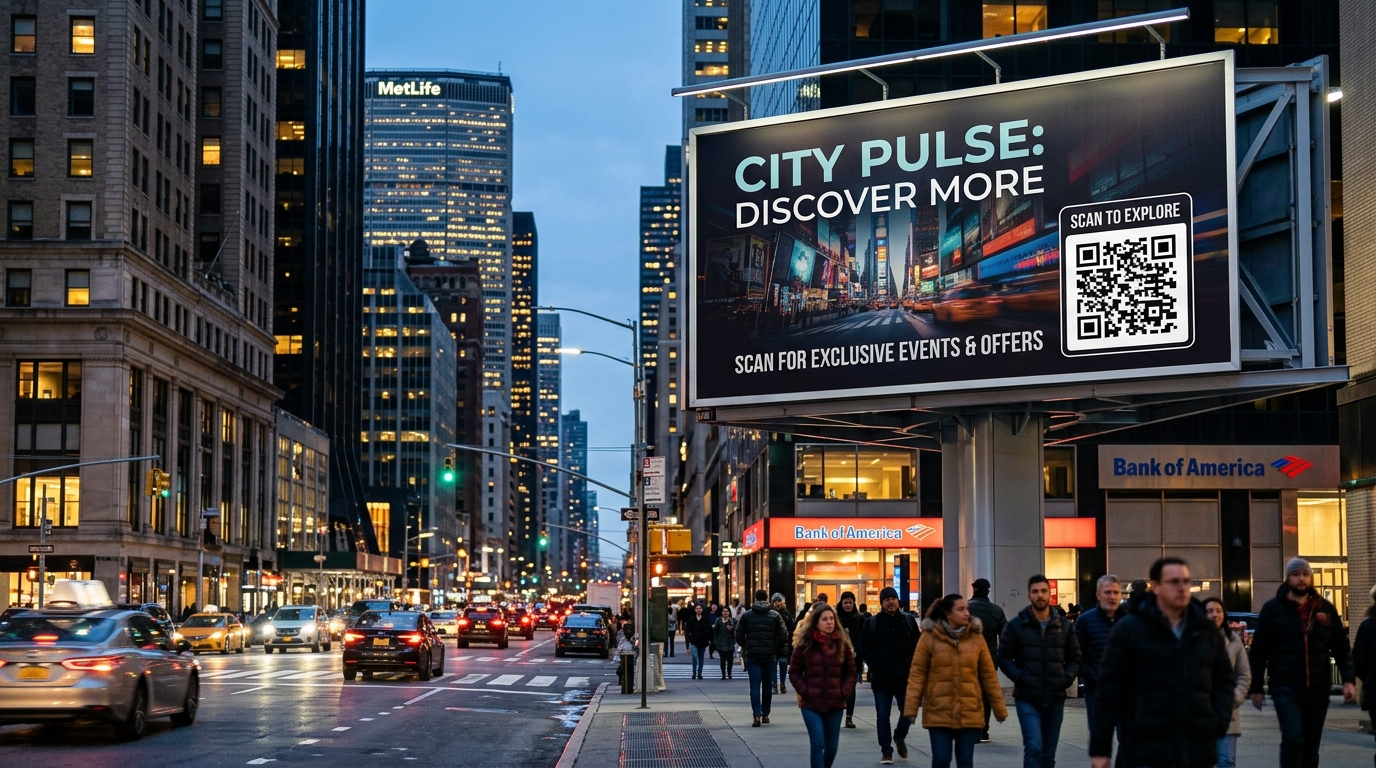
Out-of-Home (OOH) advertising and large-format highway billboards represent some of the most visible branding investments a business can make. Yet for decades, outdoor advertisers have struggled with a persistent dilemma: the attribution black hole. Brands spend thousands of dollars reserving premier billboard locations, knowing that millions of motorists and pedestrians pass by, but they lack a direct, measurable mechanism to track how many passersby actually took action.
Dynamic QR codes have fundamentally transformed outdoor marketing. By turning high-visibility physical displays into instant digital conversion gateways, QR codes allow advertisers to capture leads, distribute exclusive promotional vouchers, launch interactive AR brand experiences, and track exact return on ad spend (ROAS) in real time.
However, printing a QR code on a billboard is vastly different from placing one on a restaurant table tent or business card. A code that is too small, poorly positioned, or printed with insufficient contrast will result in zero scans and wasted marketing dollars.
In this comprehensive guide, we examine the science and strategy behind high-performing billboard QR codes, including exact distance-to-size formulas, placement ergonomics, dynamic link management, and end-to-end conversion tracking with QR Zam.
Why Most Outdoor QR Codes Fail (And How to Avoid Costly Mistakes)
Before booking print production, marketing teams must understand the physical constraints of outdoor viewing environments. The four most common billboard QR code blunders include:
- Underestimating Viewing Distance: Smartphone camera lenses have optical limits. A 10-inch QR code on a highway billboard 50 feet in the air cannot be scanned by anyone on the ground.
- Missing or Weak Call-to-Action (CTA): A standalone QR code without context provides zero incentive to scan. Passersby need an immediate, compelling reason to take their phone out.
- Low Contrast or Inverted Color Schemes: Light grey codes on dark backgrounds or overly busy artistic textures can confuse camera autofocus algorithms, especially in direct sunlight or nighttime street lighting.
- Using Static Instead of Dynamic QR Codes: If the destination URL breaks, changes, or the seasonal campaign concludes, static QR codes cannot be edited. Advertisers are forced to pay thousands in re-printing and labor fees to replace the vinyl banner.
The Golden QR Code Sizing Formula for Billboards
The most critical factor in outdoor QR code performance is the Distance-to-Size Ratio. As a baseline industry standard, outdoor displays require a 10:1 ratio: for every 10 units of viewing distance, the QR code must be at least 1 unit wide.
$$\text{Minimum QR Code Width} = \frac{\text{Viewing Distance}}{10}$$
When billboards are positioned alongside high-speed vehicular traffic or elevated overhead structures, advertisers should increase this proportion to 8:1 or 6:1 to account for motion blur, angular distortion, and rapid transit times.
Billboard Distance and Sizing Matrix
| Billboard Placement Type | Typical Viewing Distance | Minimum QR Code Width (10:1) | Recommended QR Code Width (8:1) | Primary Audience Context |
|---|---|---|---|---|
| Transit Shelter / Bus Stop | 2 – 4 meters (6.5 – 13 ft) | 20 – 40 cm (8 – 16 in) | 30 – 50 cm (12 – 20 in) | Pedestrians walking or waiting for transit |
| Urban Street Furniture / Kiosk | 3 – 6 meters (10 – 20 ft) | 30 – 60 cm (12 – 24 in) | 40 – 75 cm (16 – 30 in) | Foot traffic, sidewalk shoppers, café patrons |
| Overhead City Street Banner | 8 – 15 meters (26 – 50 ft) | 80 – 150 cm (31 – 59 in) | 100 – 190 cm (39 – 75 in) | Slow-moving vehicular traffic, red-light stops |
| Standard Highway Billboard (14x48 ft) | 25 – 45 meters (82 – 148 ft) | 250 – 450 cm (8.2 – 14.8 ft) | 310 – 560 cm (10.2 – 18.4 ft) | Passengers in vehicles, traffic congestion zones |
| Building Wallscape / Megasite | 50 – 80 meters (164 – 262 ft) | 500 – 800 cm (16.4 – 26.2 ft) | 625 – 1000 cm (20.5 – 32.8 ft) | Landmark urban viewing, pedestrian plazas |
Critical Design Rules for Large-Scale Outdoor Displays
1. Maintain a Generous "Quiet Zone"
Every functional QR code requires a margin of clear space surrounding its exterior boundaries, known as the quiet zone. For outdoor billboards, ensure the quiet zone is at least 4 to 6 modules wide (the width of individual square data blocks). Never let headline typography, character artwork, or structural border frames encroach on this margin.
2. High Contrast and Day/Night Illumination
Smartphones recognize QR codes by detecting luminance differences between the data patterns and the background substrate:
- Optimal Choice: Solid black or ultra-dark brand pigments placed on a pure white, matte finish background.
- Avoid Glossy Laminates: High-gloss vinyl or reflective varnishes create solar glare that blinds camera sensors during peak midday sunlight.
- Backlit and Digital Displays (DOOH): On digital screens, ensure the pixel density does not introduce moiré banding patterns when captured through a mobile lens.
3. Keep the Data Payload Minimal
The more data characters hardcoded into a QR code, the denser the grid matrix becomes. Dense grids contain thousands of microscopic dots that blur together from a distance.
By utilizing dynamic QR codes, the physical graphic encodes only a concise short link (e.g., qr.yourbrand.com/ooh1). This produces a low-density, wide-module code structure with massive data squares that mobile cameras can decode effortlessly from dozens of meters away.
High-Converting Billboard CTAs: Weak vs. High-Impact
Passersby glance at outdoor advertising for an average of 3 to 7 seconds. Your Call to Action must articulate immediate value and clear expectations.
| Weak / Generic Billboard CTA | High-Converting Outdoor CTA | Why the Difference Matters |
|---|---|---|
| "Scan Me" | "Scan to Claim $25 Off Your First Order" | Establishes a concrete, monetary incentive |
| "Visit Our Website" | "Scan for Instant Virtual Home Tour & Pricing" | Sets exact expectation of content delivered |
| "Find Out More" | "Scan to Book Your Free Same-Day Consultation" | Drives direct lead capture and urgent booking |
| QR code with no text | "Scan to Download the App & Get Free Delivery" | Removes ambiguity; communicates low friction |
Why Dynamic QR Codes are Non-Negotiable for OOH
Installing a highway billboard or transit shelter campaign requires heavy capital expense, including design rights, municipal permits, wide-format vinyl printing, and specialized crane installation crews.
Static QR codes present an unacceptable business liability in out-of-home advertising. If a destination landing page has a typo or the seasonal marketing promotion concludes, the printed vinyl becomes obsolete.
Using QR Zam's Dynamic QR Code Platform delivers mission-critical safeguards:
- Instant Destination Redirection: Modify the target URL at any time from your cloud dashboard without touching the printed billboard.
- Smart Device & OS Routing: Route iPhone scanners directly to the Apple App Store and Android scanners to Google Play from a single printed code.
- Time-of-Day Scheduling: Dynamically switch the billboard destination throughout the day—for example, routing breakfast commuters to morning coffee combos and evening drivers to dinner specials.
- Granular Geospatial & Device Analytics: Measure exact scan counts, unique visitors, scan timestamps, operating systems, and geographic clusters to compare the performance of different billboard locations.
- Lossless Vector Exports (SVG, PDF, EPS): Export vector files that scale up to 50 feet across without any pixelation or loss of edge definition.
Step-by-Step: Creating a Billboard-Ready QR Code with QR Zam
Step 1: Initialize a Dynamic URL Campaign
Log in to your QR Zam Dashboard and click Create QR Code. Select the Dynamic URL type. This ensures that the physical billboard artwork retains a clean, uncluttered matrix pattern while giving your marketing team full freedom to modify destinations on demand.
Step 2: Configure Custom Domain & UTM Parameters
To build consumer confidence and maximize scan rates, pair your QR code with a custom branded domain (e.g., go.yourbrand.com). Configure explicit UTM parameters to preserve multi-touch attribution in Google Analytics 4 (GA4):
https://go.yourbrand.com/highway-promo?utm_source=ooh&utm_medium=billboard&utm_campaign=q3_brand_expansion&utm_content=junction_42_north
Step 3: Design for Maximum Outdoor Legibility
Choose classic, high-contrast styling:
- Select square or gently rounded data modules.
- Embed your vector logo in the center, ensuring it does not cover more than 20% of the active matrix area.
- Select a clear frame with an action-driven label such as "SCAN FOR $20 VOUCHER".
Step 4: Export in Vector Format (SVG or PDF)
Never send raster PNG or JPG files to a commercial wide-format printer. Download your asset as an SVG or Print-Ready PDF directly from QR Zam. Vector formats allow prepress technicians to scale the artwork to 14x48 feet or larger while preserving razor-sharp geometric edges.
Step 5: Conduct the Pre-Print Physical Distance Test
Before approving the final print run, print a scaled proof on office paper. Step back to the proportional viewing distance (e.g., test a 10 cm proof from 1 meter away) and scan using multiple iOS and Android smartphones under different lighting angles to verify instant scanning performance.
Best Practices for Billboard Locations: Pedestrians vs. Highway Motorists
| Campaign Environment | Best Suited Touchpoints | Strategic Recommendations |
|---|---|---|
| Pedestrian Footpaths & Shopping Plazas | Sidewalk kiosks, shopping center wallboards, building pillars | Position QR codes at eye level (1.4 – 1.6 meters above the ground). Highly interactive experiences, AR filters, and instant purchase flows perform best here. |
| Public Transit & Train Shelters | Bus stops, subway platform screens, commuter train interiors | Dwell times range from 3 to 15 minutes. Use QR codes for longer-form engagement such as app downloads, newsletter signups, or podcast episodes. |
| Signalized Traffic Intersections | Street corners, urban intersection billboards | Vehicles remain stationary at red lights for 45 to 90 seconds. Place large codes clearly visible to passenger-side occupants with short, high-value incentives. |
| High-Speed Expressways & Highways | Interstate overhead signs, roadside unipoles | Motorists travel at 60+ mph and cannot scan safely while driving. Focus QR campaigns on passenger engagement, rest stop exits, or use vanity short URLs alongside the code. |
Frequently Asked Questions (FAQs)
1. Is it safe to put QR codes on highway billboards?
QR codes on highway billboards should be targeted primarily at passengers or placed in areas known for recurring traffic congestion (such as toll plazas, bottleneck junctions, and bridge approaches). Highway ads must always feature high-contrast sizing and secondary visual cues, such as a short memorable domain name, to accommodate drivers who cannot safely scan while operating a vehicle.
2. Can I change where the billboard QR code leads after it has been printed and installed?
Yes, provided you created a Dynamic QR Code with QR Zam. You can update the landing page URL, append fresh promotional discount codes, or redirect traffic to a new campaign instantly in your dashboard without altering the physical print.
3. What resolution does an outdoor printer need for QR codes?
Wide-format outdoor billboard printing is typically produced at 15 to 30 DPI (Dots Per Inch) because the viewing distance is far greater than desktop print. Because QR Zam provides native vector exports (SVG and PDF), your prepress production team can output the file at the printer's native RIP resolution with mathematically perfect crispness.
4. How do I know which billboard location generated the most leads?
Generate a unique dynamic QR code for each individual billboard structure. In QR Zam, assign unique UTM tags (e.g., utm_content=downtown_board vs. utm_content=airport_connector). Your QR Zam analytics dashboard will break down scan volumes, dates, peak hours, and device types per billboard location, proving the exact ROI of each placement.
Maximize Your Outdoor Advertising ROI with QR Zam
Outdoor advertising delivers unbeatable brand prominence, but pairing it with trackable dynamic QR codes transforms passive impressions into measurable revenue.
Ready to launch high-performing out-of-home campaigns? Sign up for QR Zam today to generate high-resolution, vector-ready dynamic QR codes with real-time analytics and custom domain branding.