


How to Use Dynamic QR Codes to Reduce E-commerce Product Returns
For e-commerce brands, product returns are a silent profit killer. According to industry data, the average return rate for online retailers hovers around 15% to 20%, and for apparel, it can soar past 30%. Beyond the direct costs of return shipping and warehouse restocking, high return rates hurt customer satisfaction and increase carbon footprint.
But why do customers return products? A significant portion of returns occur not because the product is defective, but due to buyer confusion, incorrect usage, complex assembly instructions, or a poor onboarding experience.
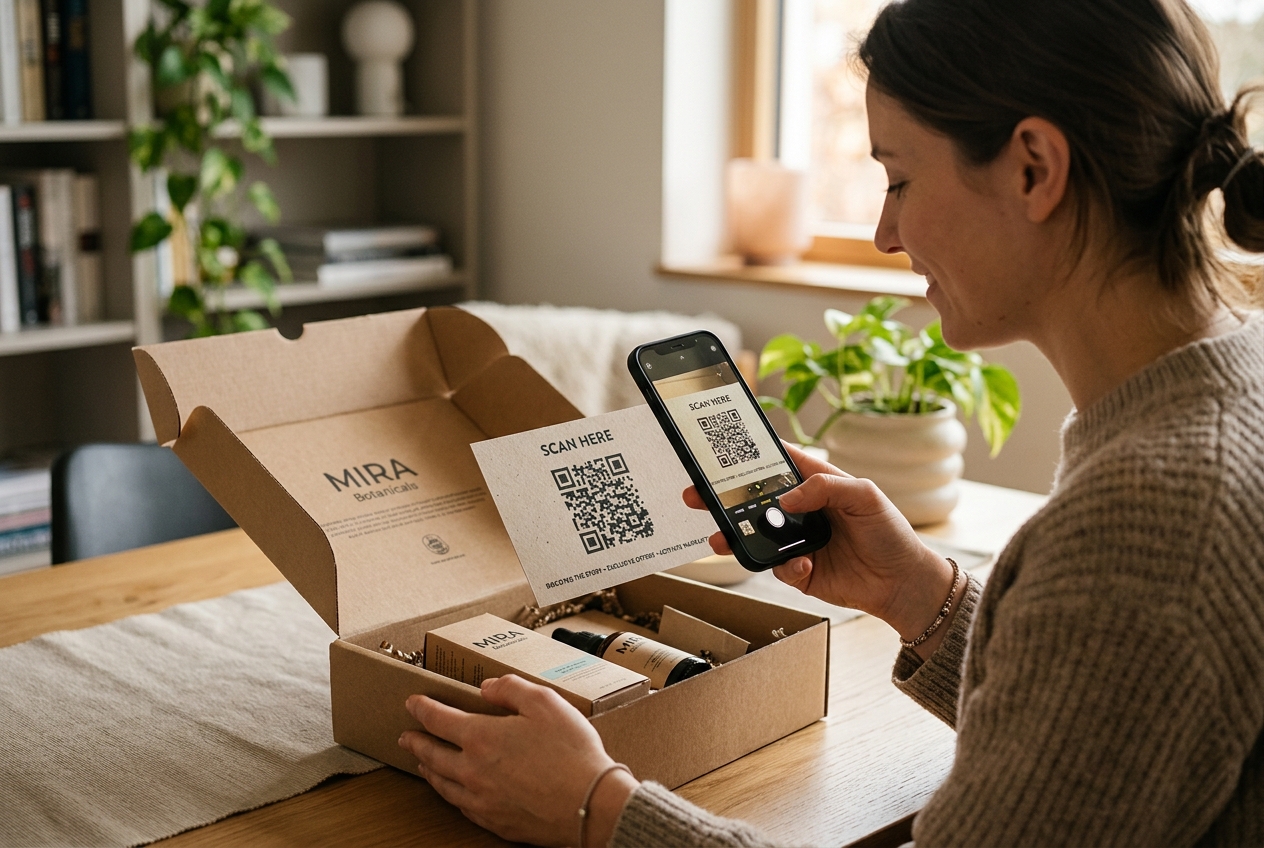
This is where dynamic QR codes become a game-changer. By placing a custom, dynamic QR code directly on your product packaging, instruction manuals, or shipping boxes, you can bridge the physical product to instant digital help, reducing returns before they even start.
Here is a comprehensive playbook on how to use dynamic QR codes to lower your e-commerce return rates and boost customer retention.
1. Replace Confusing Paper Manuals with Interactive Video Guides
Traditional paper manuals are often hard to read, easily lost, and limited in space. When a customer struggles to assemble a piece of furniture, install a device, or set up a new gadget, frustration sets in quickly. If they cannot figure it out in the first 10 minutes, their default response is often to initiate a return.
- Dynamic Video Onboarding: Print a QR code on your product box with a call-to-action like "Scan for a Step-by-Step Setup Video". Linking to a 2-minute video showing a real person unboxing, assembling, and activating the product is far more effective than 10 pages of fine print.
- Easy File Access: You can link the QR code directly to a digital PDF manual hosted on your site or Google Drive. Since it is a dynamic QR code, if you update the instructions or release a new product revision, you can update the destination URL in your dashboard without reprinting your packaging.
2. Provide Instant Access to Customer Support and FAQs
When a product doesn't seem to work, customers want help immediately. If they have to search your website for a contact form or wait hours for an email reply, they will simply request a refund.
- Direct Chat Link: Link your QR code directly to a WhatsApp Business chat, a live chat widget, or a customer support ticket system. A prompt "Need Help? Chat with us instantly!" on the packaging diverts customers away from the return button and toward a helpful support agent.
- Dynamic FAQ Routing: Route customers to a mobile-optimized troubleshooting page that lists the top 5 questions other customers ask when first using the product.
3. Guide Customers to the Right Size and Fit Video
For fashion, footwear, and apparel brands, "bracket buying" (purchasing multiple sizes with the intent of returning the ones that do not fit) is a major contributor to high return rates.
- Interactive Size Guides: Placing a custom QR code on clothing hangtags allows shoppers to scan and view sizing calculators, fit videos, or models of different body types wearing the apparel.
- Post-Purchase Styling Tips: Redirect customers to styling guides or care instructions. When customers know how to care for their fabric and style the garment, they are more satisfied with their purchase and less likely to return it.
4. Drive Product Registration and Warranty Activation
Many e-commerce returns happen because customers feel a lack of post-purchase security. Directing them to register their product immediately builds a direct line of communication.
- Seamless Registration: Use a custom QR code that directs users to a simple, mobile-optimized form to register their purchase and activate their warranty. You can auto-fill product details using URL parameters.
- Build an Email Relationship: Once a customer registers, you can automatically enroll them in a post-purchase email onboarding sequence, sending them tips, tricks, and user guides over the first two weeks to ensure they get maximum value from their purchase.
Why Choose QR Zam for Your E-commerce QR Campaigns?
To execute this strategy successfully, e-commerce brands need a professional, reliable QR generator. QR Zam offers key features designed for scale and conversion:
- Custom Branding & Custom Domains: Build brand authority by using your own domain (e.g.,
qr.yourbrand.com) in the scan URL. This ensures your customers see a trusted preview link, which can increase scan rates by up to 34%. - Scan Analytics & Tracking: Monitor scan counts, locations, and device types. By integrating your QR codes with UTM tags, you can track user journeys and post-scan behavior directly in Google Analytics (GA4).
- Smart Multi-Language Routing: If you ship globally, QR Zam can automatically detect the scanner's browser language and direct them to the appropriate setup instructions in English, Vietnamese, Spanish, or Japanese—all using a single printed QR code.
How to Set Up Your Return-Reduction QR Code
Ready to get started? Follow these quick steps:
- Step 1: Identify your primary return reason (e.g., assembly confusion, size issues, troubleshooting).
- Step 2: Create the digital asset that solves it (a setup video, sizing tool, or support chat link).
- Step 3: Log into your QR Zam dashboard and select Create QR Code.
- Step 4: Enter your target URL and make sure to choose Dynamic QR Code.
- Step 5: Customize the look to match your branding. Add your logo, select brand colors, and add a clear frame (e.g., "Scan for Easy Setup").
- Step 6: Print a high-resolution PNG or SVG vector onto your packaging insert, user manual, or box.
By proactively addressing onboarding friction at the exact moment of unboxing, you can dramatically lower return rates, save on operational logistics, and turn new buyers into lifelong loyal customers.