


How to Optimize Your QR Code Design for Higher Scan Rates
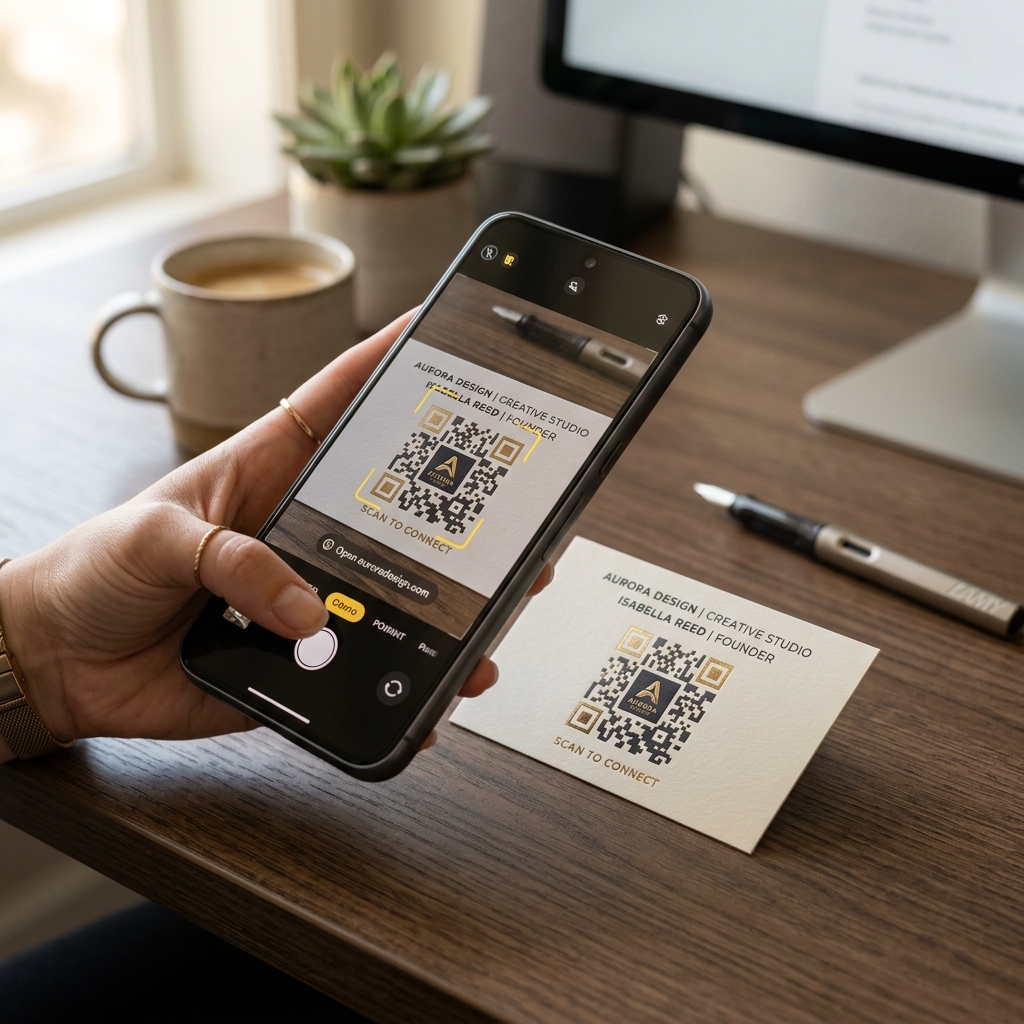
In today's digital-first marketing landscape, QR codes have become an essential bridge between the offline and online worlds. From restaurant menus to outdoor billboards, they allow customers to access information, make payments, and engage with brands instantly.
However, simply generating a standard black-and-white QR code and slapping it on your marketing materials doesn't guarantee success. Many businesses struggle with low scan rates simply because their QR codes are hard to see, difficult to scan, or fail to convince users to take action.
To maximize your campaign's Return on Investment (ROI), you need to optimize your QR code design. Here are the top strategies to design custom QR codes that actually get scanned.
1. Implement Strong Color Contrast
The absolute golden rule of QR code design is contrast. QR code scanners rely on the contrast between the dark and light modules (the squares inside the code) to read the data.
- Keep the foreground dark, background light: Traditional black-on-white is the most reliable, but you can use your brand colors. Always ensure the foreground colors (the pattern and eyes) are significantly darker than the background.
- Avoid inverted colors: While some modern scanners can read light QR codes on a dark background, many older smartphones and default camera apps cannot. Inverting your QR code colors is one of the fastest ways to kill your scan rate.
- Avoid gradients in eyes/finders: The three large squares in the corners (finder patterns) are critical for the scanner to locate and orient the QR code. Keep these solid and high-contrast.
2. Add a Clear Call-to-Action (CTA)
Never assume people will scan a QR code just because it is there. Without context, a QR code is just a mysterious block of pixels.
A clear, compelling Call-to-Action (CTA) gives users a reason to scan. Frame your QR code with text that tells them exactly what they will get:
- "Scan to view our digital menu"
- "Scan for a 15% discount on your first order"
- "Scan to join our free Wi-Fi"
- "Scan to download our app"
Using a framed design with a brief instructional text around or below the QR code can increase scan rates by up to 80%.
3. Customize with Your Brand Identity (Logo & Colors)
Generic QR codes look spammy and untrustworthy. In an era where cybersecurity is a major concern, users are hesitant to scan codes that look like they could lead to malicious websites.
By customizing your QR code, you build trust and reinforce brand recognition:
- Add your logo: Place your brand logo or a relevant icon (like a Wi-Fi symbol, shopping cart, or PDF icon) in the center of the QR code. Keep the logo size under 30% of the total QR code area so it doesn't block critical data.
- Style the patterns: Modern QR generators like QR Zam allow you to change the shape of the pixels (dots, squares, rounded circles) and the outer frame of the corner eyes. Choose shapes that match your brand's visual language.
4. Use Dynamic QR Codes for Clean Layouts
The scan speed of a QR code is heavily influenced by its complexity. The more information you encode into a static QR code, the denser the pixel pattern becomes. Dense QR codes require higher resolution to scan, take longer to process, and are very difficult to read on smaller surfaces.
The solution is Dynamic QR Codes:
- Short redirect URLs: Dynamic QR codes only encode a short redirect URL (e.g.,
qr.yourdomain.com/xyz). Because the URL is short, the pixel pattern remains simple, clean, and highly scannable from farther away. - Real-time editability: If your landing page URL changes, you don't need to reprint your marketing materials. You can edit the destination URL in your dashboard instantly.
- Scan analytics: Track who scanned your code, when, where, and from what device to measure your campaign's performance.
5. Size and Placement Matter
Even the most beautiful QR code won't get scanned if it is too small or placed in an awkward location.
- Minimum size: For print materials (business cards, flyers, packaging), your QR code should be at least 2 x 2 cm (0.8 x 0.8 inches).
- The 10:1 ratio rule: As a rule of thumb, the scanning distance should be roughly 10 times the width of the QR code. If a billboard is meant to be scanned from 10 meters away, the QR code should be at least 1 meter wide.
- Placement: Avoid placing QR codes on curved surfaces (like bottles or cans), near folds, or on highly reflective materials that create glare. Ensure they are placed at eye level in high-traffic areas.
6. Test on Multiple Devices Before Printing
Nothing is worse than printing thousands of brochures only to find out the QR code doesn't work on older Android phones or in dim lighting.
Before finalized printing, test your custom QR code under different conditions:
- Test with both iOS and Android default camera apps.
- Test with third-party QR scanners.
- Test under low-light and high-glare environments.
- Test at varying distances.
Conclusion
Optimizing your QR code design is a balance of aesthetics and functionality. By maintaining high contrast, adding a compelling CTA, branding with your logo, and choosing dynamic redirects, you can transform a simple tool into a high-converting marketing asset.
Ready to create beautiful, high-performing QR codes? Sign up for a free QR Zam account today and start customizing your campaigns!