


How to Create a TikTok QR Code: The Ultimate Guide for Creators and Brands
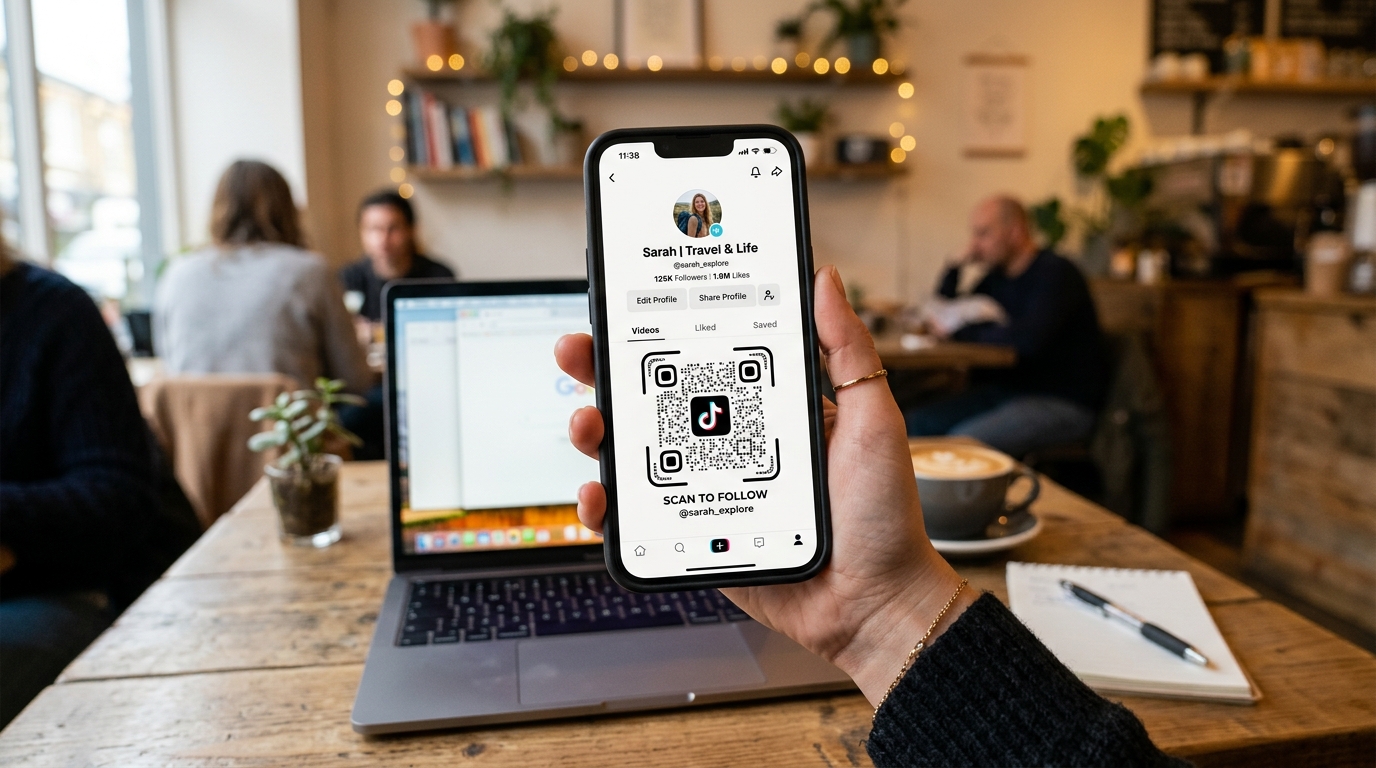
With over 1 billion active monthly users, TikTok has become a primary channel for creators, influencers, and brands to engage with audiences, promote products, and build community. But how do you bridge the gap between your physical marketing materials and your digital TikTok presence?
The answer is simple: TikTok QR Codes.
Whether you're adding a QR code to product packaging, placing it on flyers, or printing it on business cards, a custom TikTok QR code makes it incredibly easy for people to find and follow your profile with a simple scan.
In this guide, we'll walk you through how to create a custom TikTok QR code using QR Zam, explain why dynamic QR codes are superior to built-in platform codes, and share marketing best practices to maximize your scans and engagement.
Why You Need a TikTok QR Code
Many people ask: "Why not just tell people to search for my username?"
The truth is, manual searching introduces friction. Users can mistype usernames, get distracted by other content, or follow the wrong account. A QR code removes this friction entirely. A single scan takes the user directly to your TikTok profile or a specific video.
Here are some of the key benefits of using a TikTok QR code:
- Seamless Onboarding: Drive physical foot traffic (in-store customers, event attendees) to your digital channel instantly.
- Boost Followers and Views: Make it easy for customers to engage with your video content and follow your journey.
- Trackable Offline Marketing: Understand exactly which printed materials (flyers, brochures, banners) are driving the most traffic to your TikTok.
Built-in TikTok QR Code vs. QR Zam Dynamic QR Code
TikTok has a built-in QR code generator in the app, but it is highly limited:
- No Design Flexibility: You cannot change the design, colors, or add your own brand logo.
- Static Destination: The built-in code is static. If you want to redirect people to a specific campaign video or a new landing page later, you have to print a completely new QR code.
- Basic Analytics: TikTok doesn't provide detailed location, time, or device analytics for offline scans.
By using a dynamic QR code generator like QR Zam, you unlock powerful marketing tools:
- Fully Customizable: Match your brand's look and feel by changing the color palette, eye styles, frame, and inserting the TikTok logo (or your custom brand logo) in the center.
- Edit Destination Anytime: Change the destination URL from your main profile to a trending campaign video or a brand collaboration page without ever reprinting your marketing materials.
- Advanced Scan Analytics: Track scans in real-time, including time of scan, geographical location, and operating system.
- Custom Domains: Use your own brand domain (e.g.,
qr.yourbrand.com/tiktok) to build trust and increase scan rates.
How to Create a Custom TikTok QR Code with QR Zam
Creating your custom TikTok QR code takes less than two minutes. Follow these simple steps:
Step 1: Copy Your TikTok Profile or Video URL
Open the TikTok app or website, go to your profile, and copy the URL (e.g., https://www.tiktok.com/@yourusername). If you want to promote a specific video, copy that video's shareable link instead.
Step 2: Go to QR Zam
Navigate to QR Zam and log in. Select the URL / Link QR code type.
Step 3: Paste Your URL
Paste your TikTok profile or video link into the URL input field. We highly recommend checking the box to make it a Dynamic QR Code so you can edit the link later and track your scans.
Step 4: Customize the QR Code Design
Make your QR code stand out by utilizing QR Zam's premium styling tools:
- Colors: Use TikTok’s iconic black, teal, and magenta colors, or choose colors that match your brand identity.
- Logo: Upload a TikTok logo or your brand's logo to place in the center of the QR code.
- Frames and CTA: Add a frame with a clear call-to-action (CTA) like "Scan to Watch" or "Scan to Follow".
- AI Art (Optional): Use QR Zam's built-in AI QR Code Generator to turn your QR code into a visually stunning, artistic design.
Step 5: Test and Download
Always scan the QR code with your smartphone camera to ensure it resolves correctly to your TikTok account. Once confirmed, download the high-resolution file in PNG or vector SVG format (recommended for printing).
Creative Ways to Use TikTok QR Codes
Where should you place your TikTok QR codes to get the most engagement? Here are some proven strategies:
1. Product Packaging and Insert Cards
Include a QR code on your product boxes or packaging inserts. Add a CTA like "Scan to see how to use this product on TikTok" or "Share your unboxing video on TikTok using our QR code". This leverages post-purchase excitement into user-generated content (UGC).
2. Retail Window Displays and In-Store Signage
If you run a physical retail boutique, place a QR code in your window display or at the checkout counter. Encourage shoppers to scan and see behind-the-scenes content or viral styling videos.
3. Events, Pop-Up Shops, and Trade Shows
When networking or exhibiting, place a QR code on banners, posters, and business cards. It is much faster for a prospect to scan your QR code and follow you than to exchange physical contact information.
4. Direct Mail and Flyers
Incorporate a QR code into your direct mail campaigns. Offer a discount code to users who scan the QR code and watch your latest brand video.
Best Practices for Printing TikTok QR Codes
To ensure maximum scans, keep these best practices in mind:
- Size Matters: Ensure your QR code is at least 2 x 2 cm (0.8 x 0.8 inches) for small print items, and larger for billboards or signs.
- High Contrast: Keep a strong contrast between the QR code pattern (dark colors) and the background (light colors) so cameras can easily read it.
- Clear Call to Action (CTA): Don't just print the QR code alone. Always include text like "Scan for TikTok Videos" or "Follow Us on TikTok" to give users a reason to scan.
- Test Before You Print: Do a test print on standard paper and test scanning it under different lighting conditions before running a large print job.
Ready to boost your TikTok growth? Start designing your dynamic, branded TikTok QR code on QR Zam today!