


How to Create a QR Code for Telegram: Boost Channel Subscribers, Group Members, and Bot Engagement
With more than 950 million active monthly users worldwide, Telegram has evolved far beyond a private messaging service into one of the most powerful marketing, community building, and customer engagement channels on the internet.
From fast-growing Web3 projects, crypto trading signals, and e-commerce VIP discount clubs to SaaS product updates and automated customer service bots, organizations rely on Telegram to broadcast real-time announcements, build highly engaged communities, and drive repeat conversions.
However, moving potential customers from physical touchpoints—such as event booths, product packaging, point-of-sale displays, printed flyers, or desktop monitors—into your Telegram channel or chat presents a major friction point: manual typing.
Asking a customer to open Telegram, navigate to the search bar, and accurately type @YourBrandOfficialBot or an intricate alphanumeric invite link like t.me/+AbCdEfGh1234 introduces friction, typos, and abandonment.
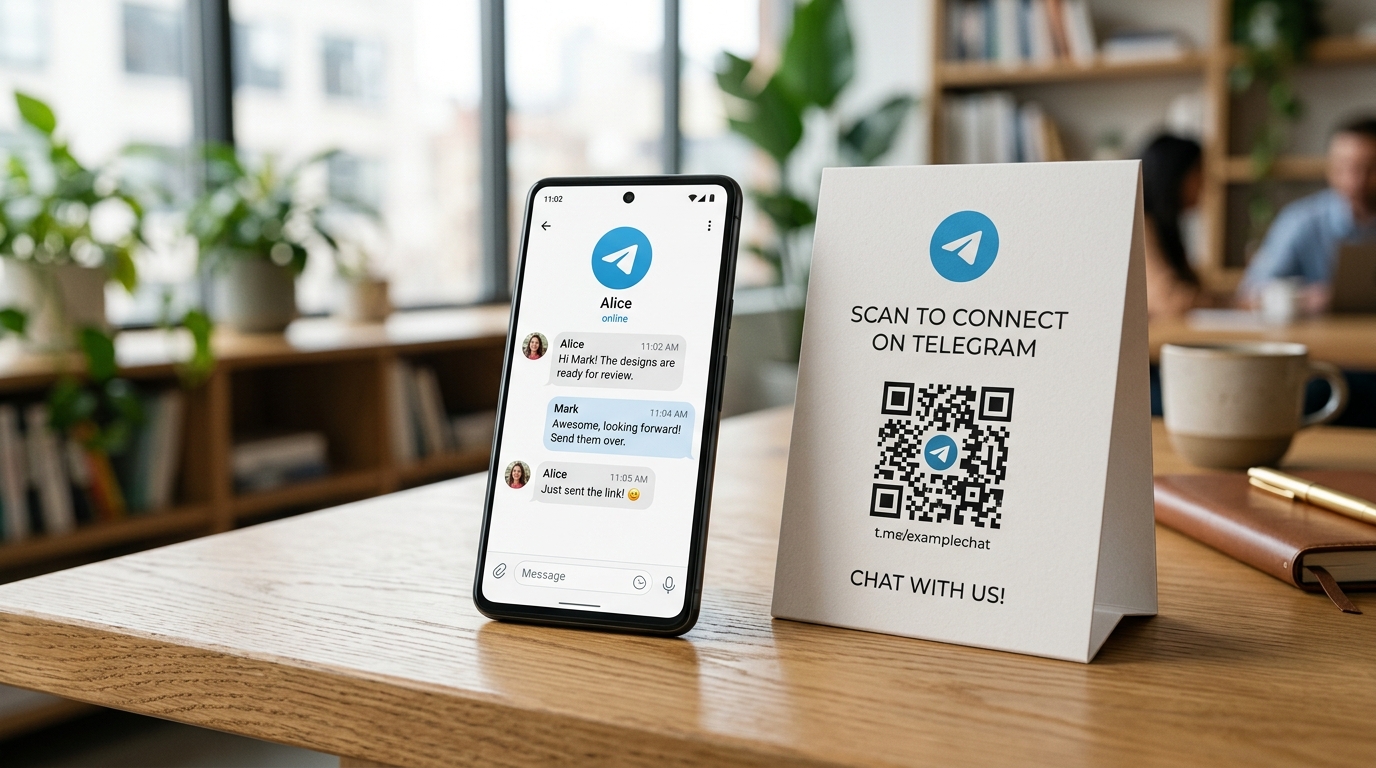
A custom Telegram QR code completely eliminates this hurdle. By pointing a smartphone camera at the code, users are instantly transported into your Telegram channel, group conversation, direct message thread, or interactive bot in a single tap.
In this comprehensive guide, we will examine the architectural difference between static and dynamic Telegram QR codes, explore high-converting real-world use cases, and walk through how to create, customize, and track dynamic Telegram QR codes using QR Zam.
Why Connect Your Offline Audiences to Telegram?
Unlike traditional email newsletters with average open rates hovering between 15% and 22%, Telegram broadcasts routinely achieve open rates exceeding 80% to 90% within the first hour of publication.
Push notifications on Telegram are instantaneous, unhampered by spam filters, promotional tabs, or restrictive social media algorithms that throttle organic post reach.
| Channel Metric | Traditional Email Marketing | Social Media Feeds (X, IG, FB) | Telegram Channels & Bots |
|---|---|---|---|
| Typical Open / View Rate | 15% – 25% | 2% – 6% (Organic reach) | 70% – 90% |
| Delivery Speed | Minutes to hours (Queueing) | Delayed by feed algorithm | Instantaneous push notification |
| Spam / Filter Risk | High (Spam & promo folders) | High (Shadowbanning & throttling) | None (Direct 1-to-1 broadcast) |
| Conversion Friction | Requires email confirmation | Requires app feed interaction | 1-tap scan to join or start chat |
| Two-Way Interactivity | Asymmetric / Slow reply loops | Comment sections | Automated interactive chatbots |
What Types of Telegram Links Can You Connect to a QR Code?
Telegram provides distinct URI protocols and web links depending on your target destination:
1. Telegram Public Channels (t.me/channel_username)
Ideal for one-to-many broadcasts, product release updates, market analysis, and news flashes. When scanned, users see your public channel preview and can join with a single tap.
2. Telegram Private Channels or Groups with Invite Links (t.me/+invite_hash)
Ideal for exclusive paid communities, VIP membership clubs, internal masterminds, or event attendee chats. The QR code directs scanners to the secure invite link.
3. Telegram Direct Chat / Personal Profile (t.me/username)
Ideal for sales consultants, real estate agents, account managers, and freelance professionals on business cards, allowing clients to initiate a direct conversation without revealing personal phone numbers.
4. Telegram Automated Chatbots (t.me/bot_username or t.me/bot_username?start=parameter)
Ideal for automated customer support, lead qualification, digital contest entries, or gated resource delivery. Telegram supports deep-linking via the ?start= parameter, allowing you to trigger specific automated workflows based on where the QR code was scanned (e.g., t.me/SupportBot?start=tokyo_summit_booth_a4).
Static vs. Dynamic QR Codes for Telegram: Why Dynamic Is Essential
When generating a QR code for Telegram, you can choose between a basic static code or an enterprise dynamic code. While a static code embeds the raw t.me URL directly into the pixel matrix, dynamic QR codes route through a secure short URL managed in the cloud.
| Capability | Static Telegram QR Code | Dynamic Telegram QR Code (QR Zam) |
|---|---|---|
| Editable Destination URL | No (Code is permanently broken if link changes) | Yes (Update target channel, group, or bot anytime) |
| Revoked Invite Links | Unusable after invite link is rotated | Update link in dashboard instantly with zero reprinting |
| Scan Analytics & Geolocation | No tracking whatsoever | Real-time counts, cities, countries, device OS, and time |
| Custom Branded Domain | Generic third-party link | Full white-label domain (e.g., qr.yourbrand.com) |
| Password Protection & Age Gating | Not supported | Protect exclusive access or comply with legal requirements |
| A/B Split Testing & Smart Routing | Single destination only | Route users based on device, location, or day of week |
| Print Durability & Visual Density | Dense pixel grid, harder to scan at distance | Clean, low-density pixel matrix, scans instantly |
The "Revoked Link" Nightmare
The greatest risk of using a static QR code for Telegram groups or private channels is link rotation. If an invite link is revoked to prevent spam, or if your channel username is updated, every printed brochure, banner, product box, or retail display containing that static QR code instantly becomes useless waste.
With QR Zam Dynamic QR Codes, your physical prints remain evergreen. If your Telegram group link changes or you launch a new promotional channel, simply edit the destination in your QR Zam dashboard. The printed QR codes instantly route scanners to the new destination.
High-Converting Use Cases for Telegram QR Codes
1. Web3, Crypto & Tech Conferences
Conference floor marketing requires capturing intent in seconds. Displaying high-contrast dynamic Telegram QR codes on roll-up banners, badges, presentation slides, and promotional swag allows attendees to join your developer community or community announcement channel instantly while walking the floor.
2. E-Commerce Packaging Inserts & VIP Drops
Direct-to-consumer (DTC) brands can place Telegram QR codes inside shipping boxes or on hang tags. Offer a compelling incentive: "Scan to join our Telegram VIP Lounge for secret 48-hour flash sales and member-only giveaways." This transforms one-time buyers into repeat brand evangelists.
3. Retail & Point-of-Sale Customer Support
Place a sleek tabletop acrylic stand with a Telegram QR code at customer service desks or restaurant checkout counters. Customers can scan to chat directly with a live support agent or automated booking bot, eliminating long hold times on phone hotlines.
4. Speaker Presentations & Webinar Slides
Speakers and workshop facilitators can place a Telegram QR code on the final slide of their deck. Scanners immediately join an event-specific discussion group or receive the presentation PDF directly via an automated Telegram bot.
Step-by-Step: How to Create a Telegram QR Code with QR Zam
Creating a branded, high-performing Telegram QR code with QR Zam takes less than two minutes:
Step 1: Retrieve Your Telegram Destination Link
- Open your Telegram app on desktop or mobile.
- Navigate to your channel, group, profile, or bot settings.
- Copy your link:
- For public channels/groups:
https://t.me/your_channel_name - For private groups:
https://t.me/+your_invite_hash - For bots with deep-linking parameters:
https://t.me/your_bot?start=campaign_id
- For public channels/groups:
Step 2: Select Dynamic URL in QR Zam Dashboard
Log in to your QR Zam Dashboard. Click Create QR Code and select the Dynamic URL option. Paste your Telegram link into the destination field.
Step 3: Brand Your QR Code with Telegram Colors and Logo
- Logo Placement: Upload the official Telegram paper plane icon or your brand's own logo directly into the center of the code.
- Color Palette: Use Telegram’s signature sky blue (
#2AABEE) or customize with your exact corporate hex codes. - Frames & Call to Action: Wrap the code in a high-converting visual frame with clear instructional text such as "Scan to Join Telegram" or "Chat With Us".
Step 4: Configure Custom Domain and Tracking Parameters
To build maximum trust and boost scan rates by up to 34%, connect your custom domain (e.g., qr.yourcompany.com) through QR Zam. Append UTM tracking parameters (such as utm_source=offline_flyer&utm_campaign=fall_launch) to track downstream signups and conversions within your analytics suite.
Step 5: Test and Export High-Resolution Assets
Always test scan the generated code across both iOS and Android camera apps before printing. Download the final asset in high-resolution vector format:
- SVG / EPS: For large format print vendors, billboard production, and apparel embroidery.
- High-Res PNG (300 DPI): For digital slides, flyers, and packaging mockups.
Best Practices for Maximizing Telegram QR Code Conversions
| Optimization Dimension | Best Practice Guideline | Common Pitfall to Avoid |
|---|---|---|
| Call-to-Action (CTA) | Specify exact outcome: "Scan to Join 12,000+ Crypto Traders" | Vague prompt: "Scan Me" |
| Visual Incentive | Offer tangible value: exclusive discount, PDF guide, secret channel | No clear reason for scanning |
| Contrast & Quiet Zone | Dark QR elements on high-contrast light background with minimum 4-module quiet zone margin | Low-contrast colors or busy patterned backgrounds |
| Print Sizing | Minimum 2 x 2 cm (0.8 x 0.8 in) for handheld items; scale 1:10 for viewing distance | Printing too small for standard smartphone autofocus |
| Channel Readiness | Pin an engaging welcome message and automated bot menu at the top of your Telegram channel | Directing scanners into an empty, inactive channel |
Measuring Performance with QR Zam Analytics
Once your Telegram QR code campaign is live in the real world, log in to your QR Zam analytics suite to measure key performance indicators:
- Total vs. Unique Scans: Understand overall engagement and repeat scans.
- Geographic Breakdown: Discover which cities, venues, or regions yield the highest scan volume.
- Operating Systems: Analyze the split between iOS and Android scanners.
- Time of Day & Day of Week: Identify peak scanning hours to schedule your Telegram content broadcasts when new subscribers are most active.
Conclusion: Turn Physical Footprint into Telegram Community Growth
Offline foot traffic and printed materials represent massive untapped acquisition opportunities. By combining the friction-free simplicity of dynamic QR codes with the unparalleled engagement rates of Telegram, brands can seamlessly convert physical encounters into loyal, lifelong subscribers.
Ready to build your first dynamic Telegram QR code? Get started with QR Zam for free today and take complete control over your offline-to-online marketing funnel.