


How to Create a QR Code for Calendly: Streamline Meeting Bookings from Business Cards, Flyers, and Event Booths
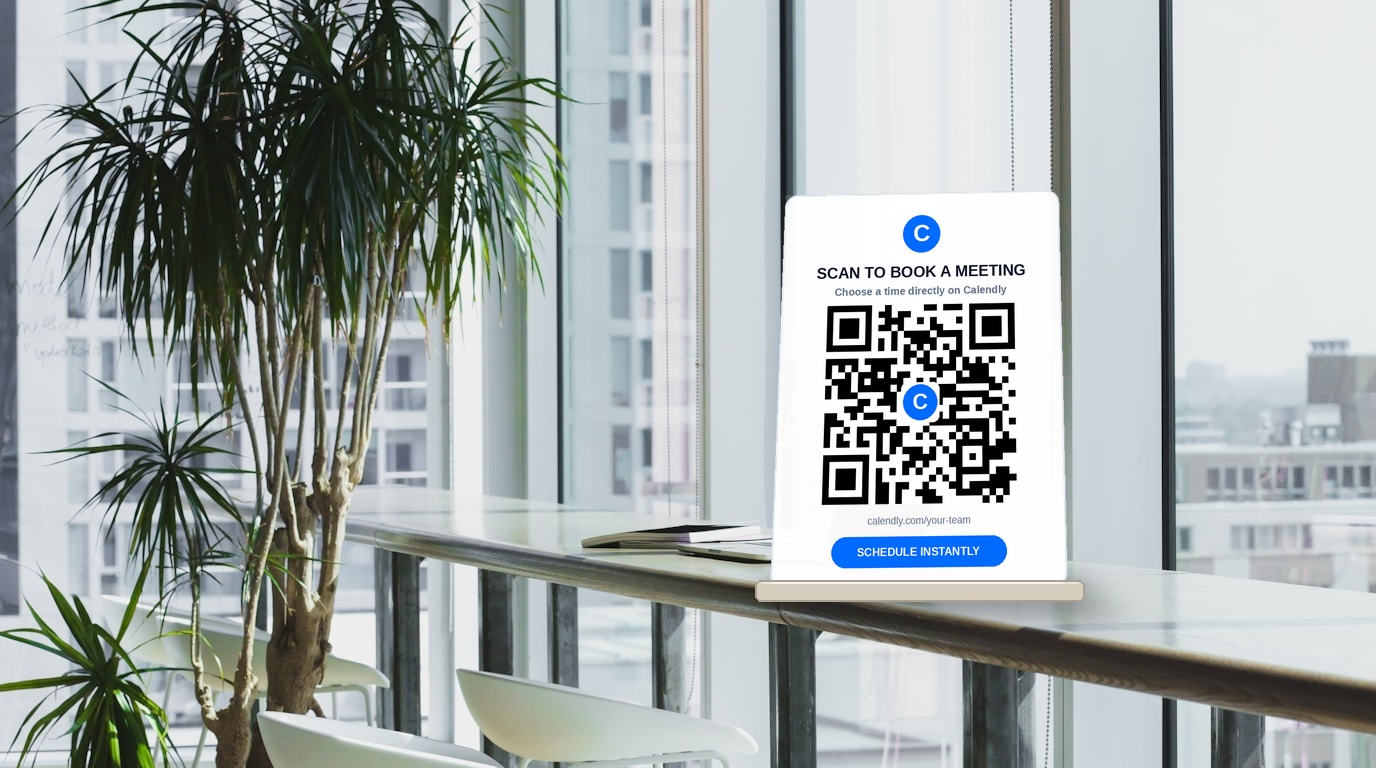
Whether you are a B2B sales executive meeting prospects at a trade show, an independent consultant handing out business cards, a doctor scheduling patient consultations, or a real estate agent hosting an open house, your ultimate goal is simple: get a high-intent conversation booked on your calendar.
However, the traditional pathway from a physical interaction to a scheduled meeting is filled with friction.
When you hand a prospect a standard paper business card or printed flyer, you rely on them to return to their office, manually type your URL (such as calendly.com/alex-miller-consulting/30-min-discovery), select a time slot, and fill out their details. Every additional step, keystroke, and delay exponentially increases drop-off rates. Studies show that more than 80% of business cards and physical promotional flyers are discarded within 48 hours without producing a single digital follow-up.
A custom Calendly QR code eliminates this friction entirely.
By scanning a single QR code with their smartphone camera, your prospect is transported straight to your live scheduling page with your available dates, time zones, and booking questions pre-loaded. In under 15 seconds, the meeting is confirmed and synced to both calendars.
In this comprehensive guide, we will explore why dynamic QR codes are essential for calendar scheduling, break down high-converting real-world touchpoints, and walk through how to create, customize, and track dynamic Calendly QR codes using QR Zam.
Why Connect Physical Touchpoints Directly to Calendly?
The difference between manually sharing a booking link and deploying an instant-scan dynamic QR code directly impacts your pipeline velocity and customer acquisition cost (CAC).
| Scheduling Metric | Manual URL / Paper Business Card | Static Calendly QR Code | Dynamic Calendly QR Code (QR Zam) |
|---|---|---|---|
| Booking Friction | High (Manual typing of long alphanumeric link) | Zero (Instant 1-tap scan to calendar) | Zero (Instant 1-tap scan to calendar) |
| Time-to-Booking | 2 to 24 hours (Delayed until prospect is at desk) | Under 20 seconds on smartphone | Under 20 seconds on smartphone |
| Link Flexibility | None (Printed URL cannot be changed) | None (Permanent; breaks if username changes) | Unlimited (Edit destination URL anytime without reprinting) |
| Scan Analytics | Zero visibility | Zero visibility | Real-time tracking (Scans, unique visitors, devices, locations) |
| UTM Attribution | Prone to human omission | Static query parameters | Automated UTM tags synced to Google Analytics |
| Smart Routing | Single destination only | Single destination only | Route by language, operating system, or team availability |
Why You Must Use a Dynamic QR Code for Calendly
While free static QR generators exist, using a static QR code for calendar booking is a costly risk for sales teams and professionals.
1. Zero Reprint Costs When URLs Change
What happens when your sales rep changes roles, you update your Calendly meeting slug from /intro-call to /demo-2026, or your organization switches booking platforms? With a static QR code, every physical card, table tent, banner, and brochure immediately becomes useless waste. With a dynamic QR code, you simply log in to your QR Zam dashboard and update the destination URL in real time. Your printed collateral stays live forever.
2. Campaign Attribution and Scan Analytics
When distributing flyers at a conference or placing display stands in retail stores, you need to know which touchpoint actually delivers ROI. QR Zam provides real-time scan analytics:
- Total and unique scan counts
- Timestamp distribution (peak booking hours)
- Geographic scan locations (city and country level)
- Mobile operating systems (iOS vs. Android)
3. Integrated UTM Tracking for CRM & Google Analytics
By creating your Calendly QR code through QR Zam, you can embed tracking parameters directly into the destination URL:
https://calendly.com/your-brand/strategy-session?utm_source=qr_zam&utm_medium=booth_banner&utm_campaign=tech_summit_2026
When prospects book a slot, Calendly passes these UTM parameters directly into your CRM (HubSpot, Salesforce, or Pipedrive) and Google Analytics, giving your revenue operations team crystal-clear attribution from physical booth to closed-won revenue.
Step-by-Step: How to Create a Calendly QR Code with QR Zam
Creating a branded, trackable Calendly QR code takes less than two minutes. Follow these simple steps:
Step 1: Copy Your Target Calendly Event URL
Log in to your Calendly account and locate the event type you want to promote:
- Personal 1-on-1 link:
https://calendly.com/your-username/30min - Team round-robin link:
https://calendly.com/your-team/product-demo - Single-use link: Ideal for exclusive VIP invitations or paid consultation packages to prevent link sharing.
If you want to pre-fill specific questions or apply custom scheduling rules, configure them in your Calendly event settings prior to copying the link.
Step 2: Open QR Zam and Choose Dynamic URL
Navigate to QR Zam and select Dynamic URL QR Code. Paste your Calendly booking link into the destination field.
Ensure you assign a distinct campaign name (e.g., Spring 2026 Expo - Sales Booth Banner) so you can easily filter analytics in your dashboard later.
Step 3: Brand Your QR Code with Colors and Logo
QR codes with custom branding and clear calls-to-action generate up to 80% higher scan rates than generic black-and-white pixel grids.
With QR Zam's visual generator, you can:
- Embed your logo or Calendly emblem: Place your corporate logo or the recognizable Calendly 'C' mark in the center of the code with automated error-correction margin.
- Match brand color schemes: Select your primary corporate hex colors for code dots and corner eye elements.
- Apply custom frames & CTA text: Add a prominent container frame labeled
SCAN TO BOOK A CALLorSCHEDULE YOUR FREE AUDIT.
Step 4: Test Across Devices and Download Vector Files
Before sending your design to print:
- Scan the preview on both an iPhone (Camera app) and an Android device.
- Confirm that the Calendly page loads smoothly and adjusts responsively on mobile screens.
- Download your finished QR code in vector formats (SVG or EPS) for high-DPI commercial printing, or high-resolution PNG for digital slide decks and web banners.
High-Converting Physical Touchpoints for Calendly QR Codes
Deploying calendar QR codes across strategically selected physical touchpoints turns every offline interaction into an immediate sales pipeline engine:
| Physical Touchpoint | Recommended Placement | Target Audience & Goal | Example Call-to-Action (CTA) |
|---|---|---|---|
| Professional Business Cards | Card reverse side | Prospective clients, networking peers | "Scan to book a 15-min discovery call" |
| Trade Show Booths & Banners | Eye-level on pop-up roll banners | Attendees walking the exhibition floor | "Skip the queue: Book an executive demo today" |
| Speaker Slides & Pitch Decks | Final presentation slide & handouts | Conference audiences, angel investors | "Questions? Reserve 1-on-1 office hours" |
| Reception Desks & Counter Tents | Acrylic stand at check-in counter | Walk-in visitors, clinic patients | "Schedule your next consultation in 10 seconds" |
| Direct Mailers & Postcards | Bottom-right corner of card | Account-Based Marketing (ABM) targets | "Scan to claim your VIP strategy review" |
| Real Estate Yard Signs & Flyers | Feature rider hanging beneath sign | Homebuyers touring the neighborhood | "Scan to schedule an exclusive private walkthrough" |
Advanced Calendly QR Strategies to Accelerate MRR
For growing sales organizations and agency teams, basic QR codes only scratch the surface. Here is how advanced operators leverage QR Zam to maximize scheduling efficiency:
1. Smart Routing by Regional Language and Team Availability
If your business operates across multiple countries or time zones, you do not want an international prospect booking with a rep who cannot speak their language.
With QR Zam's Smart Routing, a single printed QR code can detect the scanner's browser language and operating system:
- Scanners with English language settings are routed to
calendly.com/global-team/discovery - Scanners with Vietnamese language settings are routed to
calendly.com/vietnam-team/tu-van - Scanners on weekend hours can be routed to an automated video demo page instead of an empty weekday calendar.
2. Custom Branded Domains
Generic short URLs (like bit.ly or standard free-tier links) look untrustworthy on executive business cards and high-end conference stands. With QR Zam's custom domain feature, your QR codes route through your own branded subdomain:
https://meet.yourcompany.com/q/demo-booking
This preserves 100% brand consistency, builds prospect trust, and enhances click-through confidence.
3. Pre-Filling Known Prospect Parameters
If you are sending targeted direct mail to a list of Tier-1 enterprise accounts, you can use Calendly's URL query parameters in combination with QR Zam's API to pre-fill the prospect's name and corporate email:
https://calendly.com/your-team/demo?name=Sarah+Jenkins&email=sarah%40enterprise.com
When the executive scans the code from their personalized invitation letter, their details are already completed. All they have to do is select the 30-minute window that works best.
Best Practices for QR Code Design and Sizing
To ensure flawless scanning in fast-moving physical environments, follow these engineering best practices:
- Maintain Strong Color Contrast: Always keep dark foreground dots on a light background. Light QR codes printed on dark or metallic backgrounds often fail to register on budget smartphone lenses.
- Respect the 10:1 Distance-to-Size Ratio:
- For a business card held at 20 cm: minimum size is 2 x 2 cm (0.8 x 0.8 inches).
- For a desk tent viewed at 1 meter: minimum size is 10 x 10 cm (4 x 4 inches).
- For a trade show banner viewed at 3 meters: minimum size is 30 x 30 cm (12 x 12 inches).
- Keep Quiet Zones Clear: Never allow text, borders, or graphics to touch the outer perimeter of the QR code. Maintain a quiet border at least 4 modules wide around all four edges.
- Always Provide a Clear Benefit in the CTA: Never print a bare QR code with no context. A clear instruction like
"Scan to pick a date on my calendar"yields up to 3x more bookings than a plain code.
Conclusion: Turn Every Real-World Interaction into a Booked Pipeline
In modern B2B and relationship-driven business, speed-to-lead is everything. The faster you transition an interested offline lead into a confirmed calendar slot, the higher your sales conversion rate will be.
By replacing outdated paper cards and friction-heavy manual URLs with dynamic, branded Calendly QR codes, you empower your audience to schedule meetings on their own terms in seconds.
Ready to supercharge your offline lead capture? Create your first dynamic Calendly QR code with QR Zam today and track every scan from physical touchpoint to confirmed revenue.